For Awbrey Glen members

AG Caddie

A golf app for playing Awbrey Glen. Yards to today's pin, a map of every hole, scoring and side games for your group, leagues, and challenges on the Loop.

iPhone: on the App Store Android: in development
Jump to a feature
Start here

Home

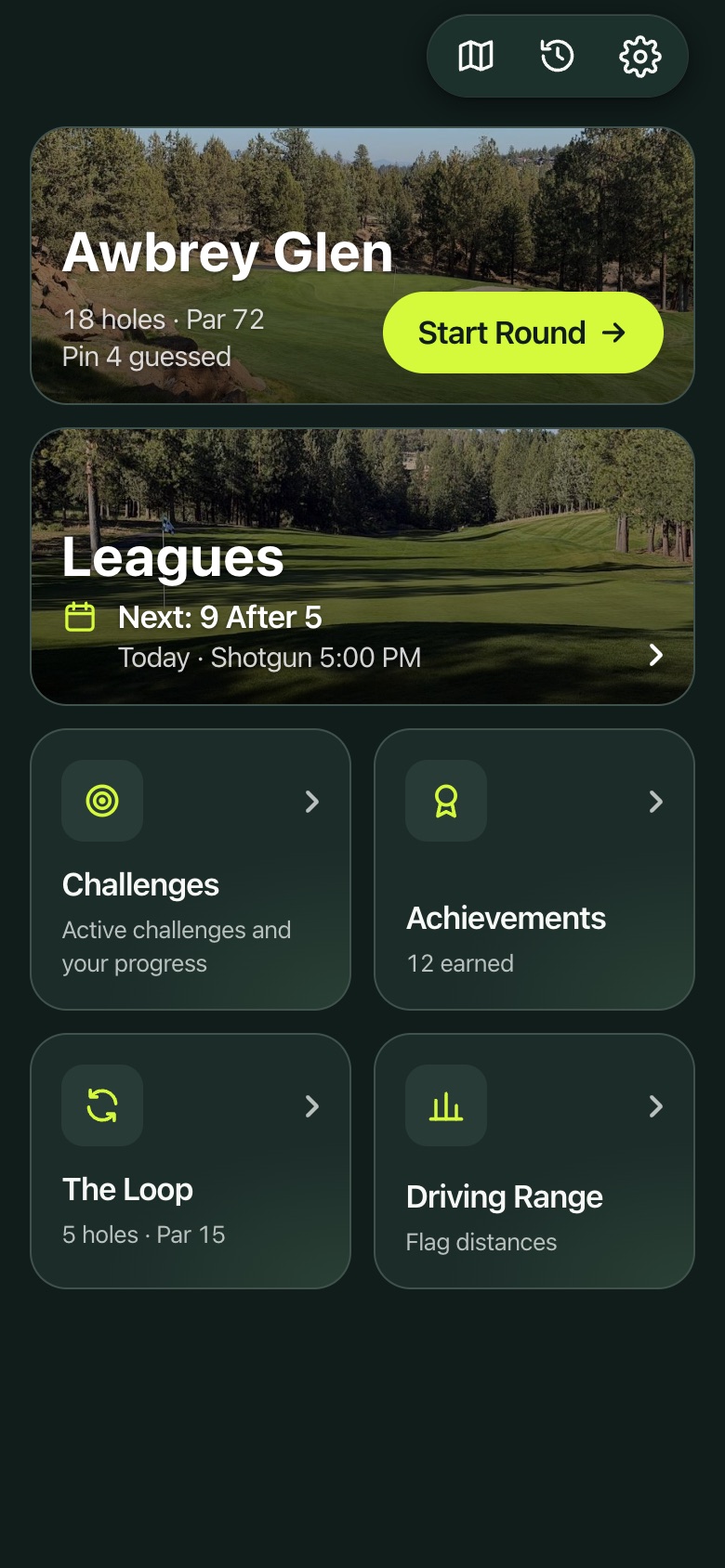
The app opens on one screen with everything in reach.

  • Awbrey Glen with Start Round, and today's pin if anyone has shared it.
  • Leagues with your next league day.
  • Challenges, Achievements, The Loop and the Driving Range.
  • Course map, Past rounds and Settings along the top.
Home
Home
Before you tee off

Setting up a round

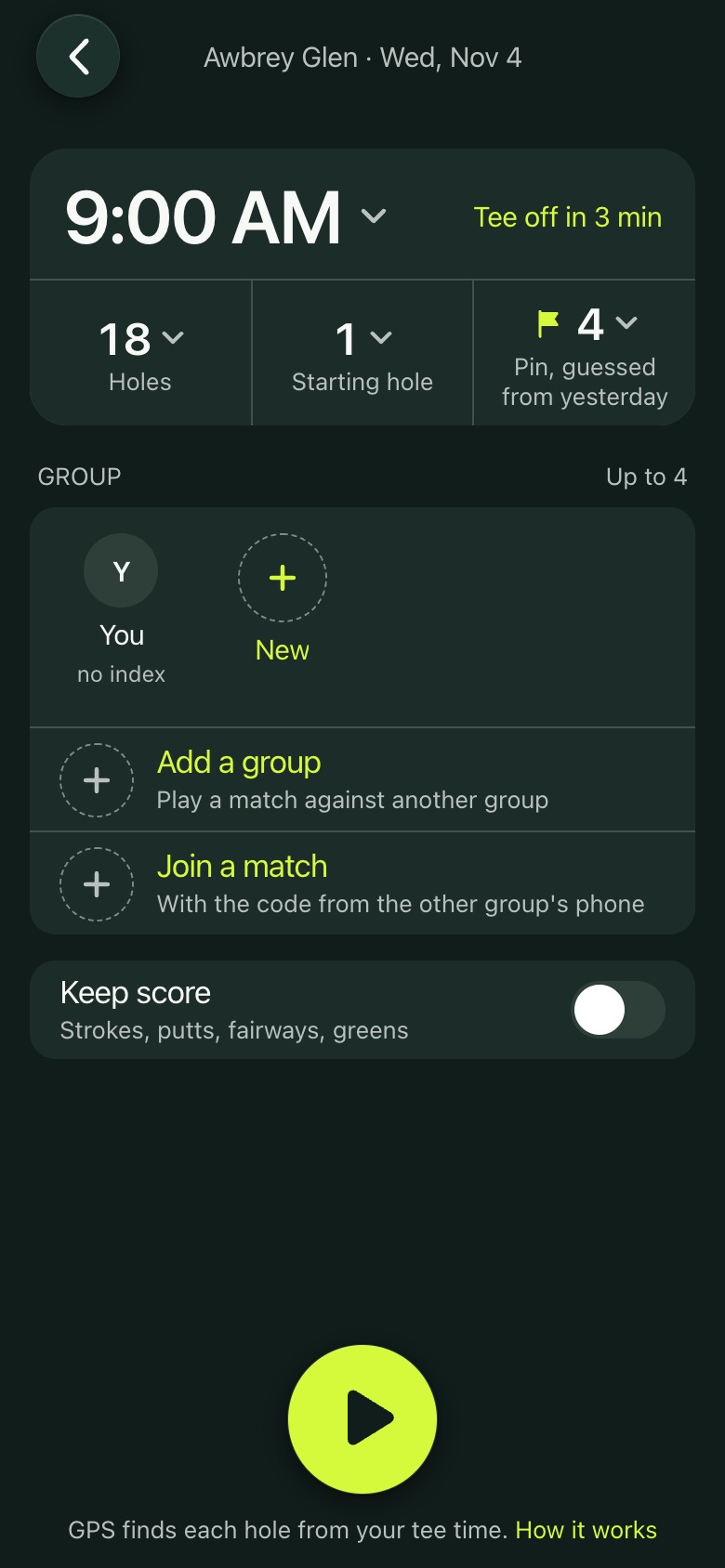
Pick your tee time and you're ready. GPS starts on its own at your tee time, so a locked phone in the cart is fine.

  • Tee time, starting hole, 18 or 9 holes, and the day's pin.
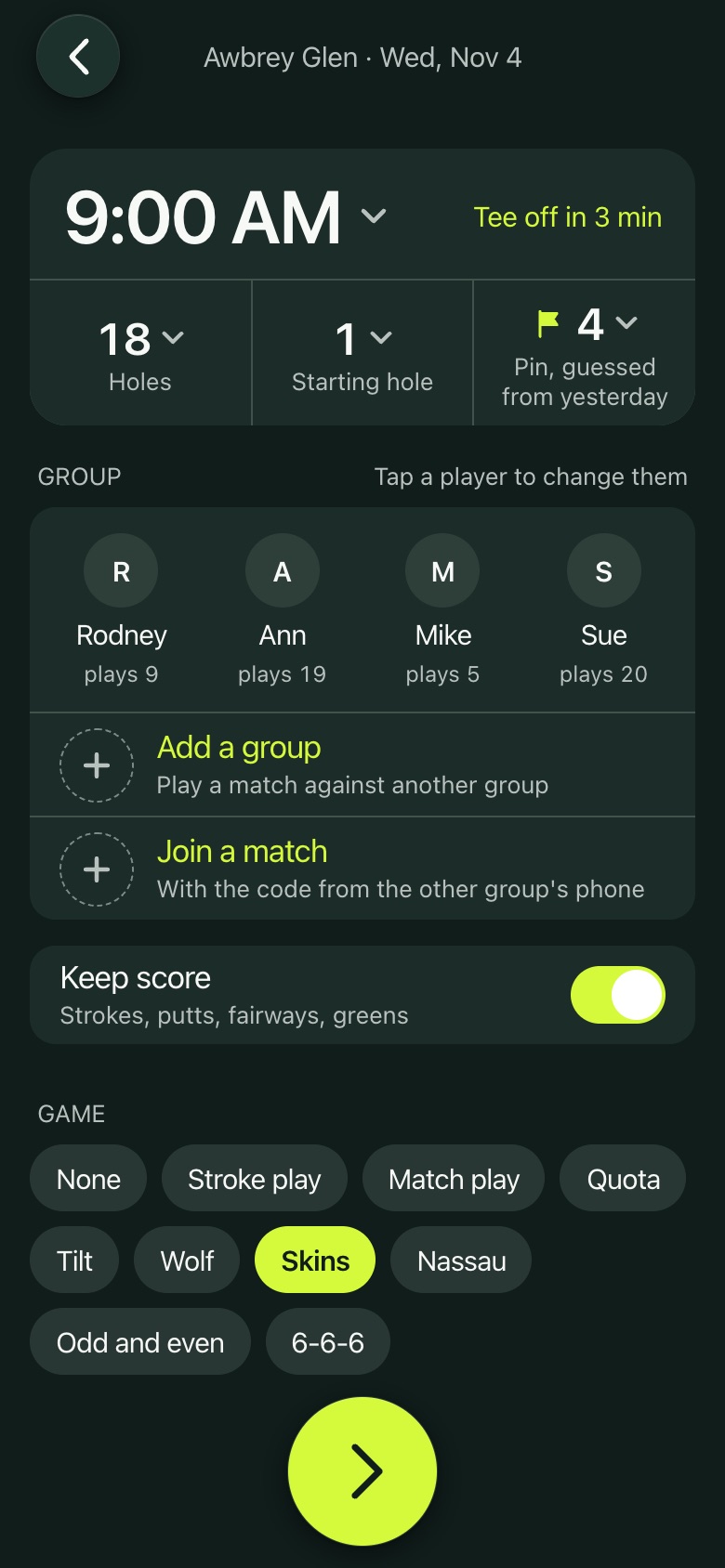
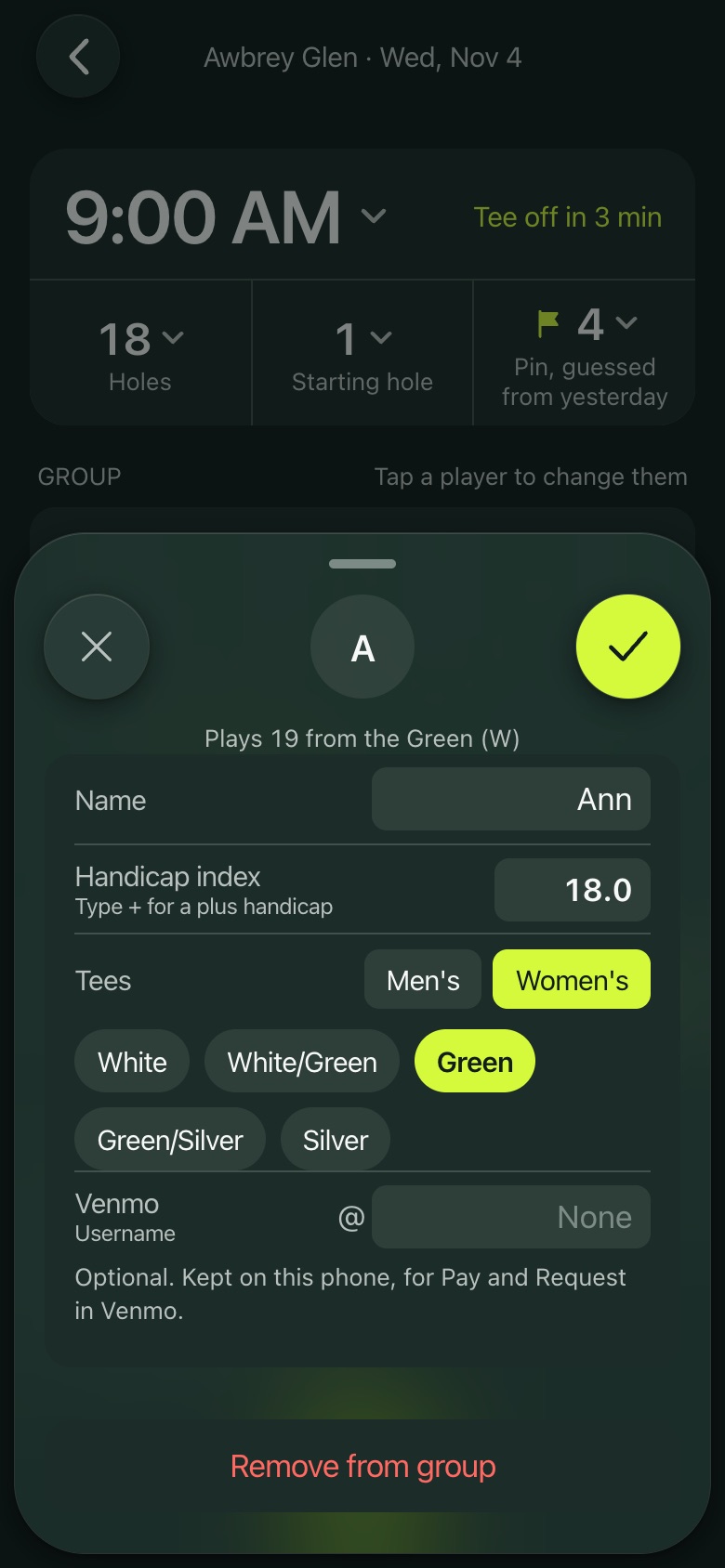
  • Your group as circles: add players by name, or tap a friend. Each player has a handicap index and tees.
  • Keep score on or off, and pick a game for the group.
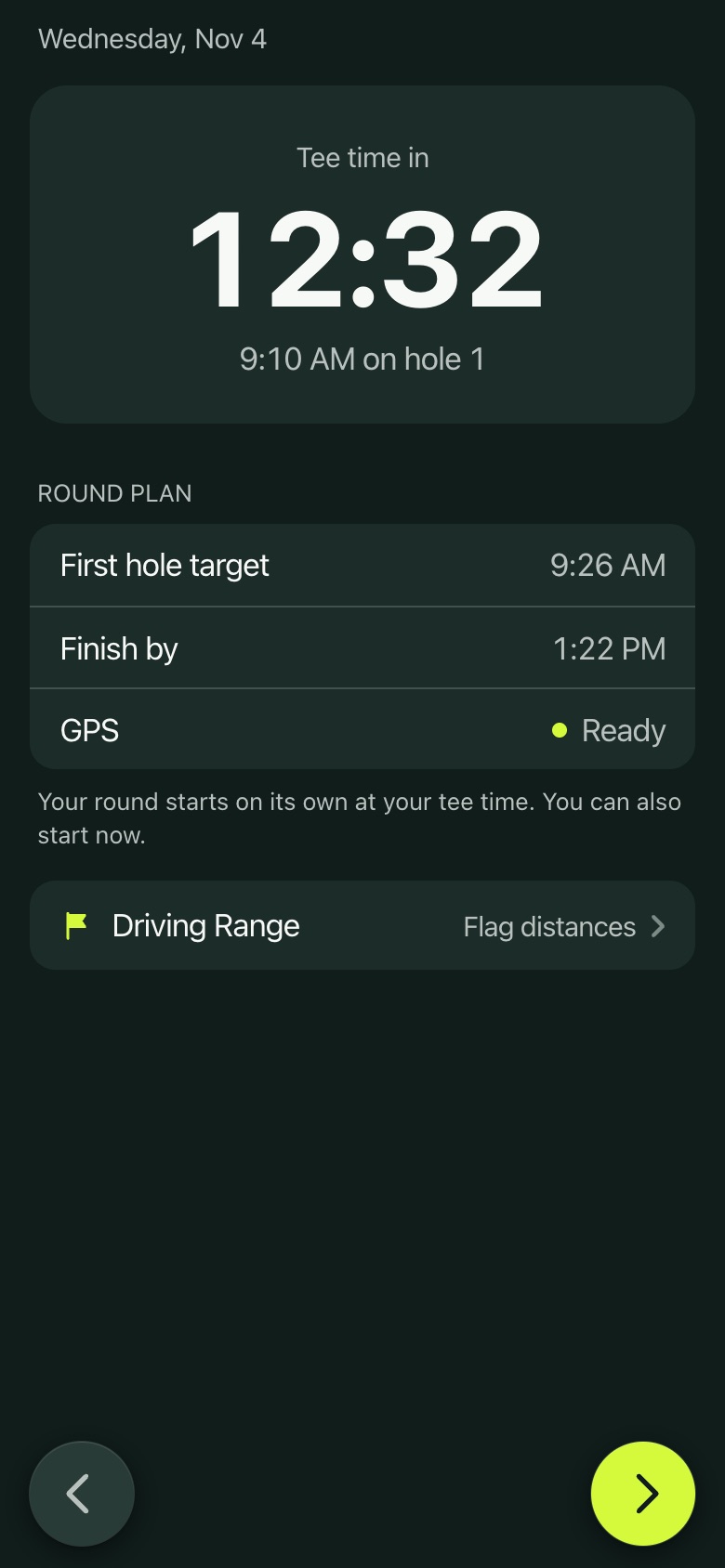
  • A countdown to your tee time, with the Driving Range a tap away while you wait.
Your round
Your round
Your group and a game
A player's index and tees
Counting down to the tee
On the course

Green yards and today's pin

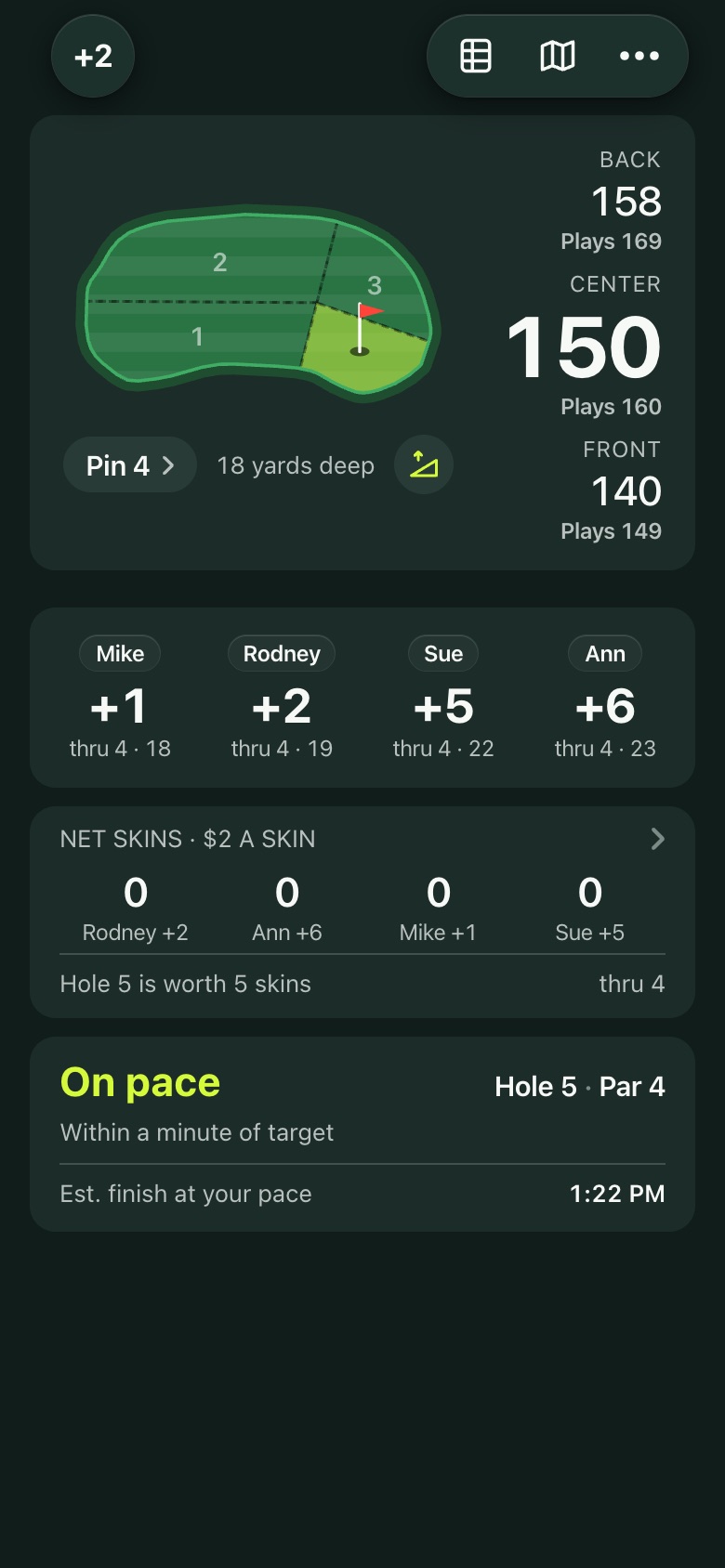
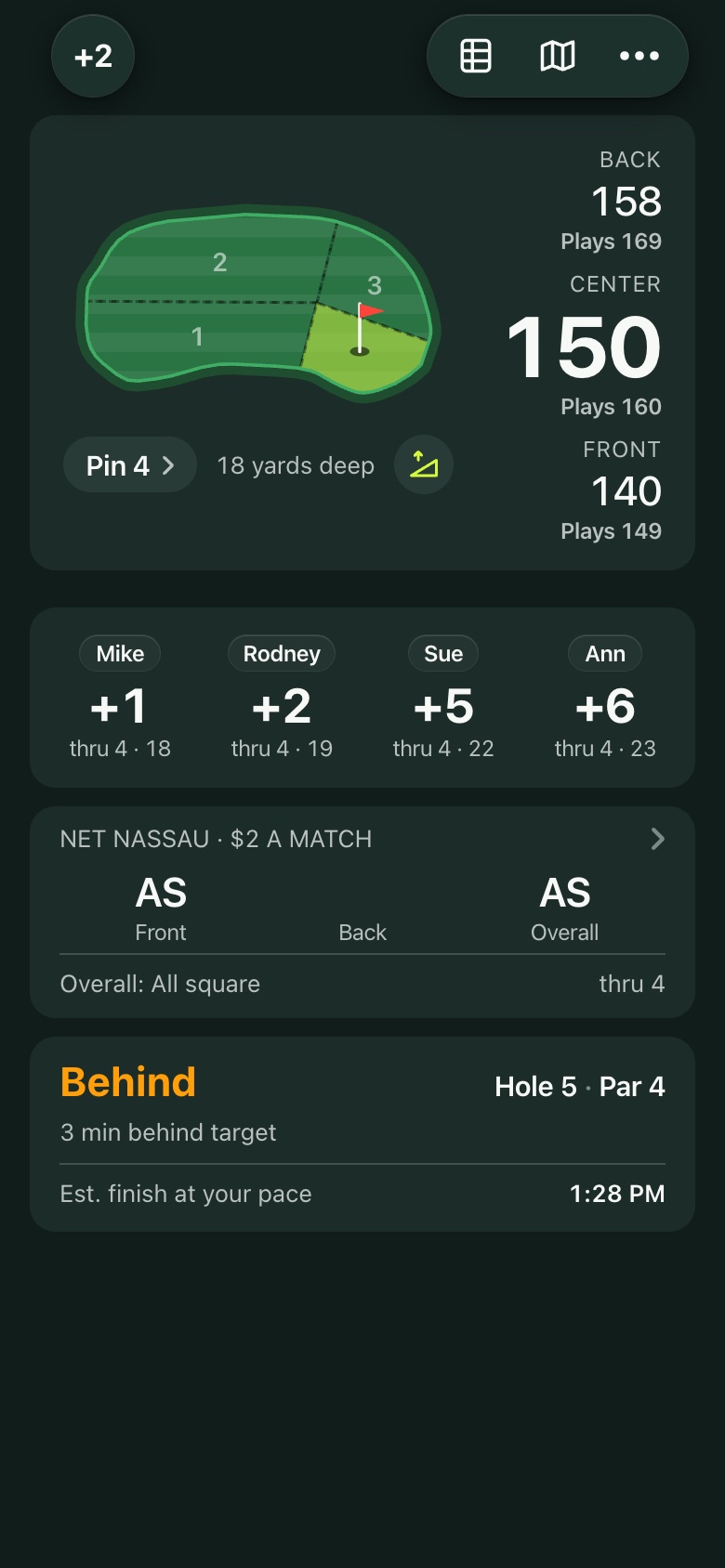
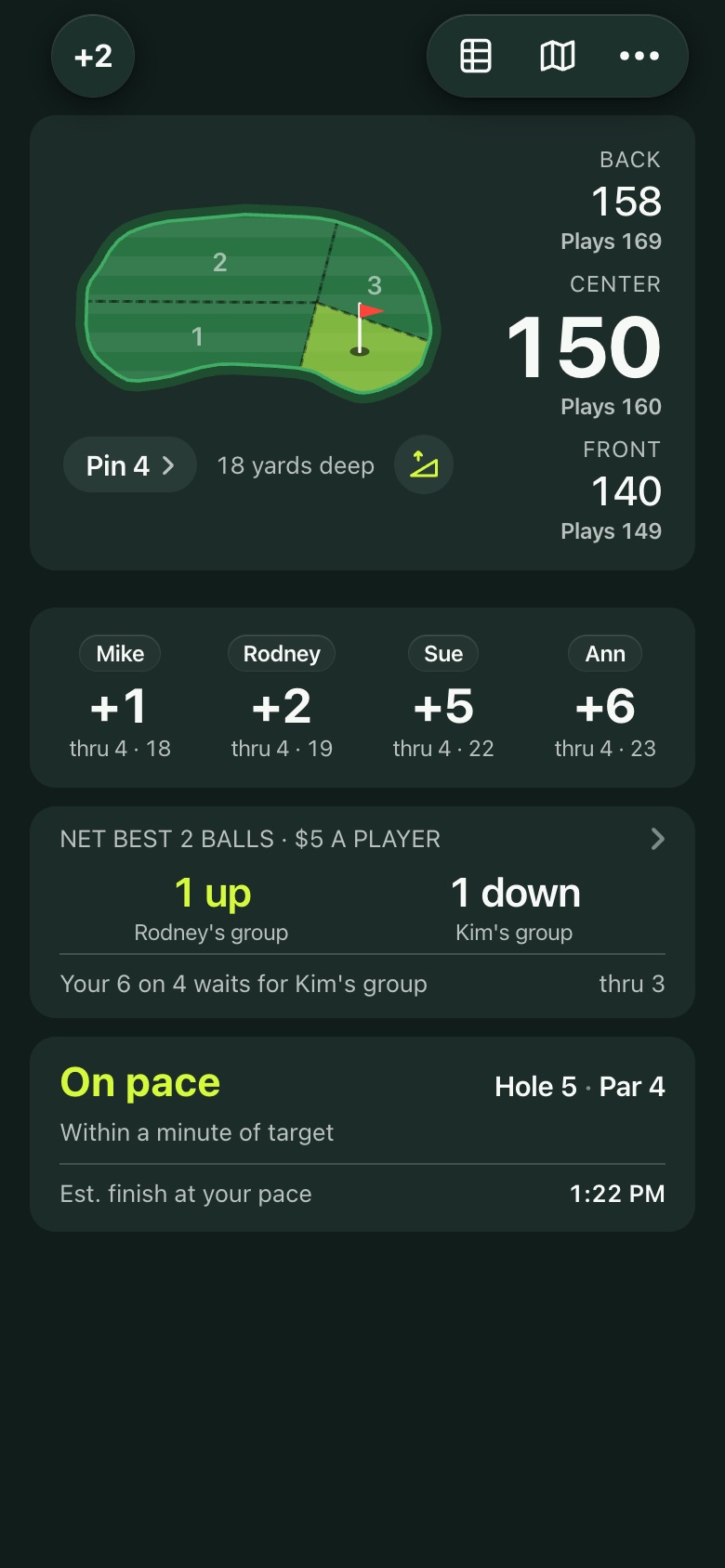
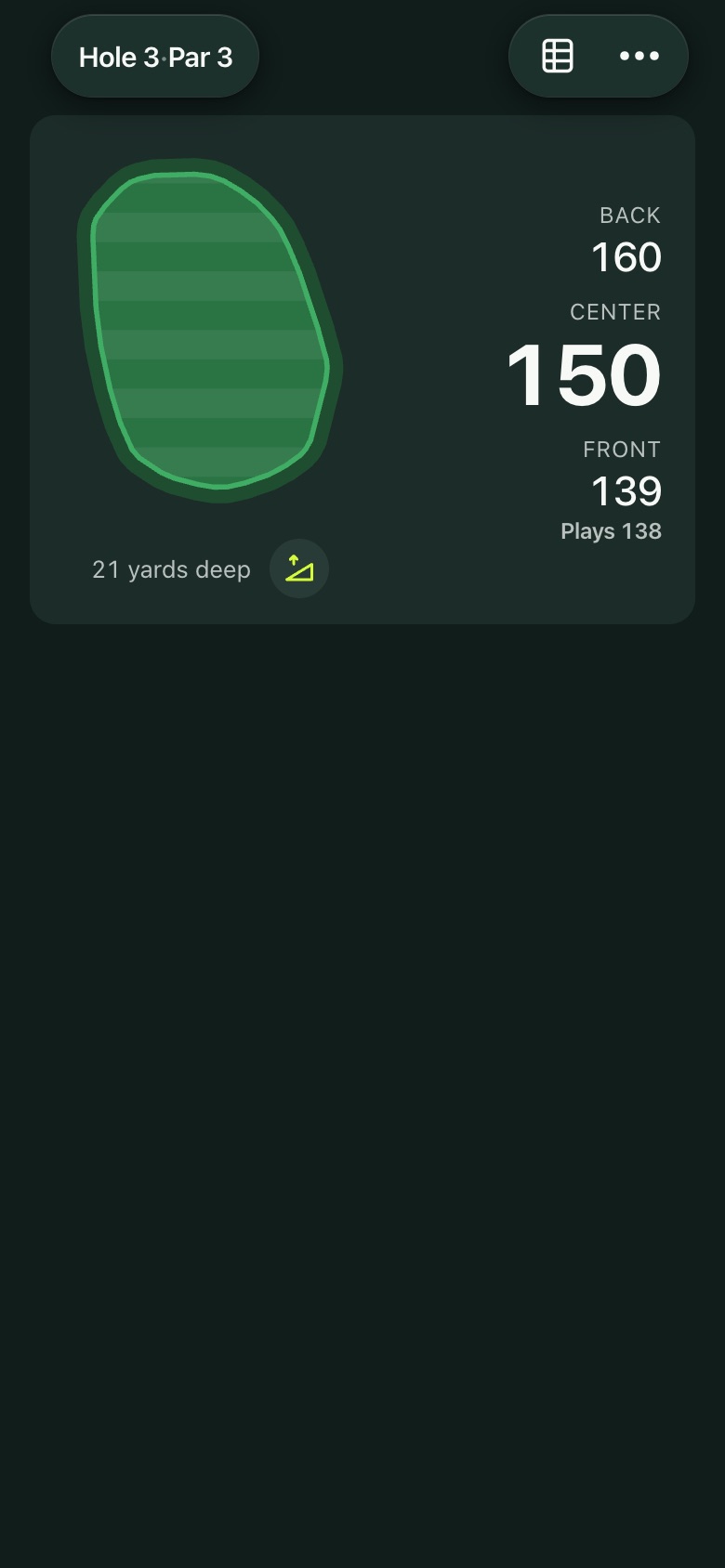
The round screen leads with the green you're playing.

  • The green drawn to shape, with today's pin section shaded and flagged.
  • Yards to the front, center and back, plus what each plays like with the rise or fall of the ground.
  • How deep the green is, and the Pin pill to change the pin.
  • The same yards and pin on the lock screen and in the Dynamic Island, so you rarely need to open the app.
  • Your group's scores and the game underneath.
The round screen
The round screen
On the course

Live Activity

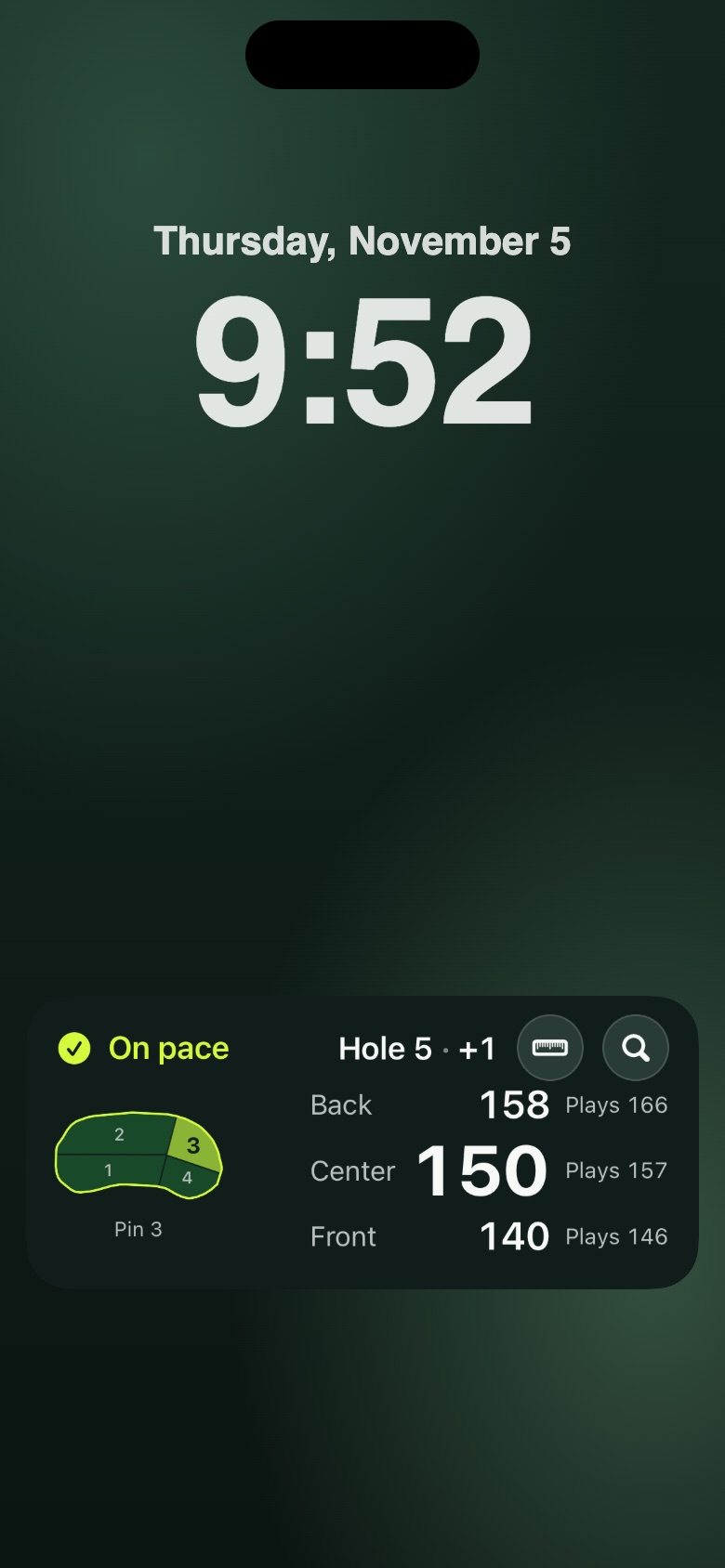
During a round AG Caddie stays on your lock screen and in the Dynamic Island, so the phone can stay locked in the cart.

  • The hole, the green with today's pin, and the yards to the back, center and front, with what each plays like.
  • Your score to par beside the hole number.
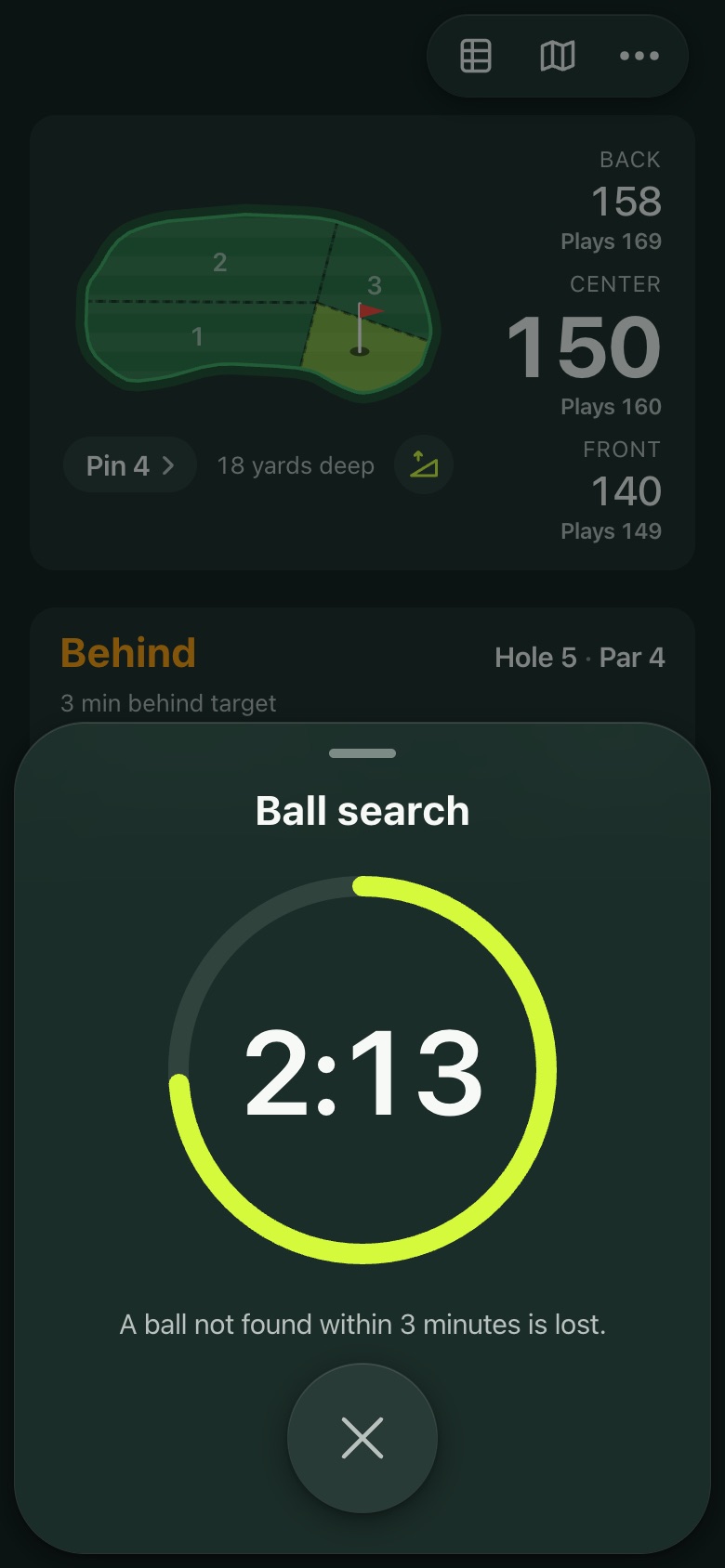
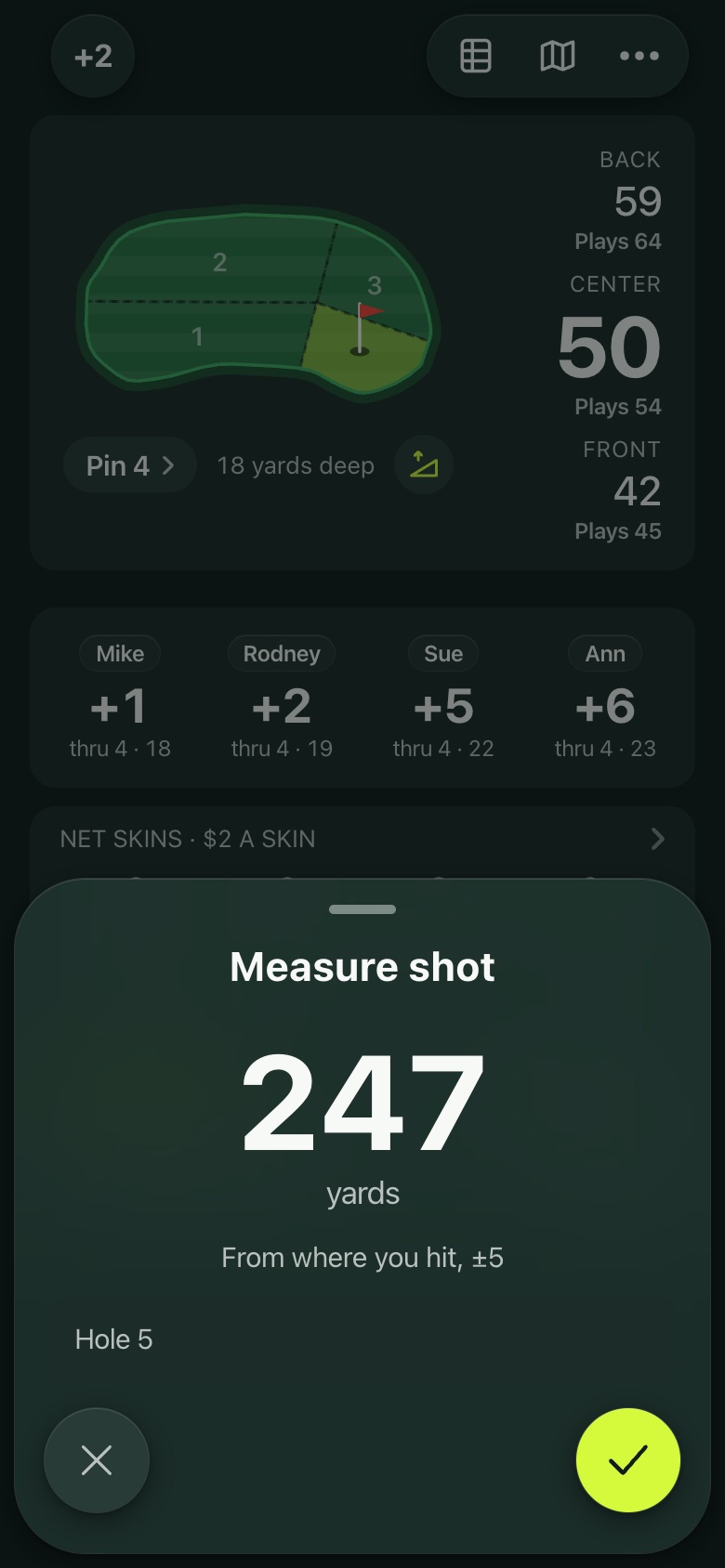
  • Buttons for Measure shot and Ball search, right on the lock screen.
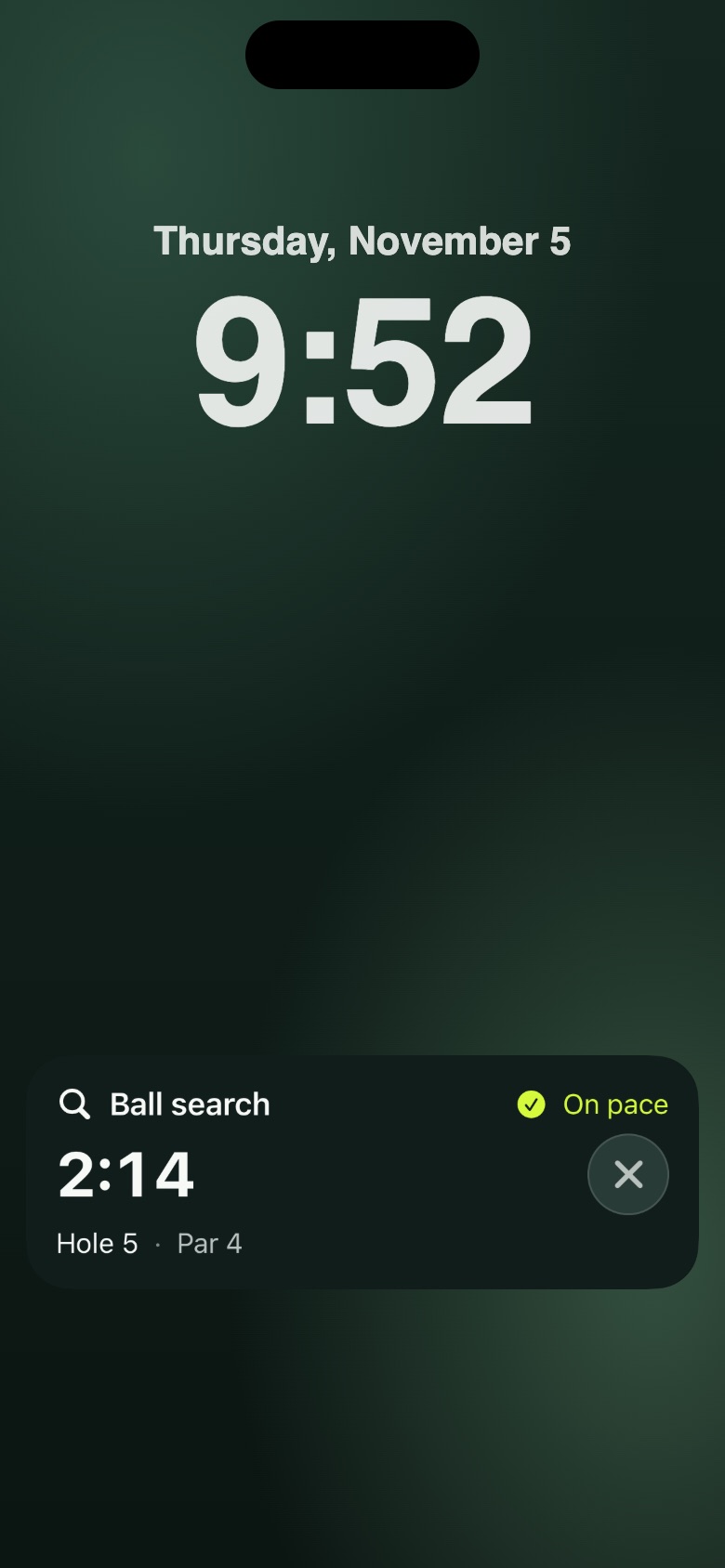
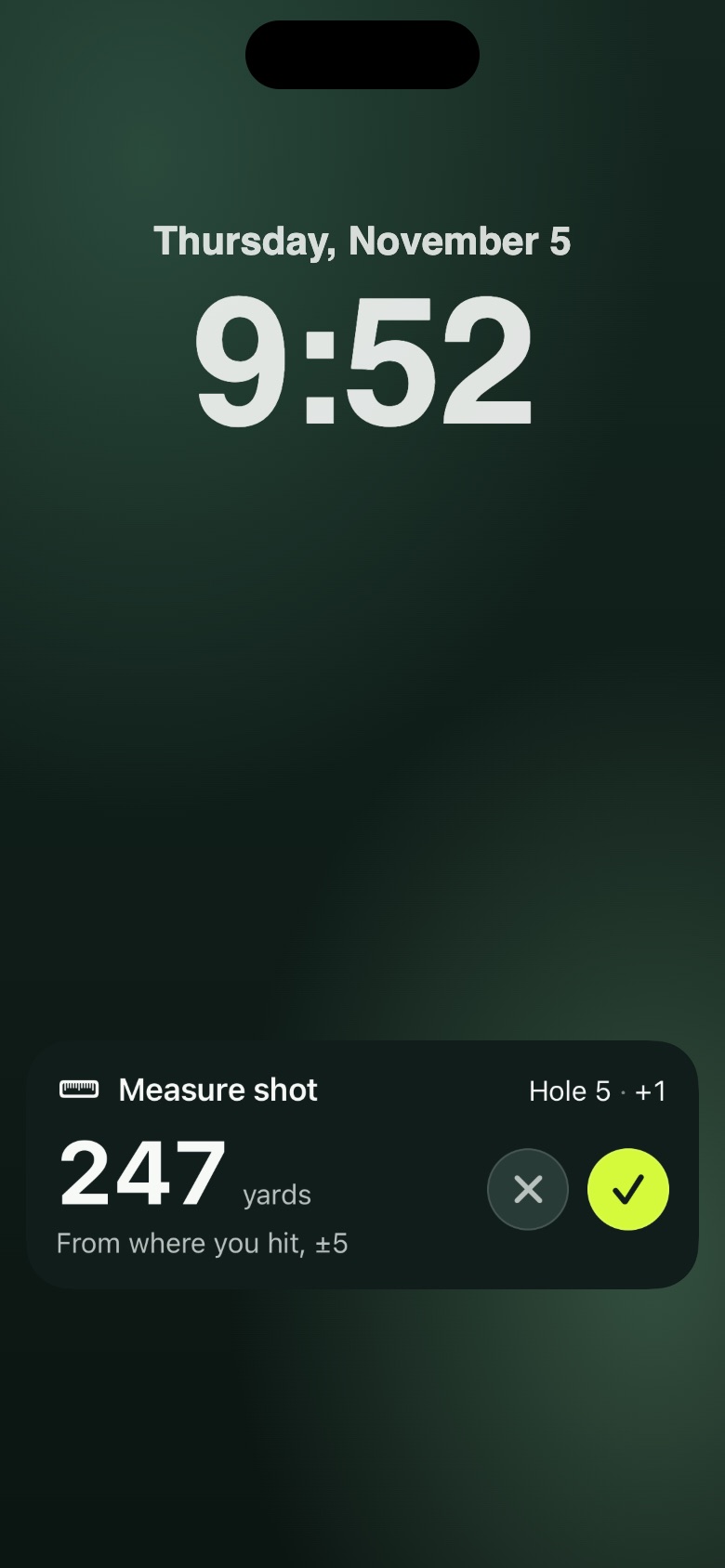
  • Ball search counts down the three minutes, and Measure shot shows the yards from where you hit, with a check to keep it.
  • Long press the Dynamic Island for the same view at the top of the screen.
On the lock screen
On the lock screen
Ball search
Ball search
Measure shot
Measure shot
On the course

The hole map

Tap the green for a map of the hole, turned tee to green.

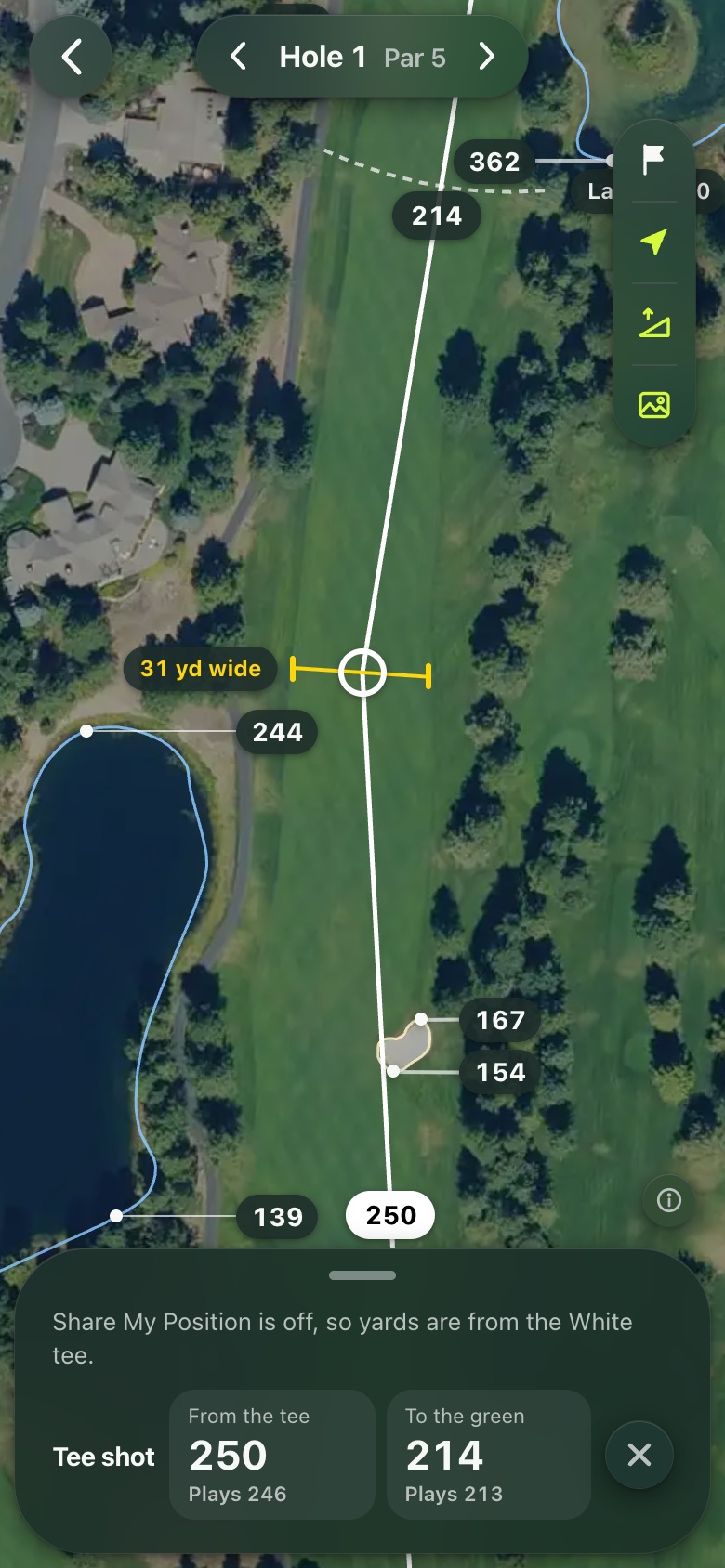
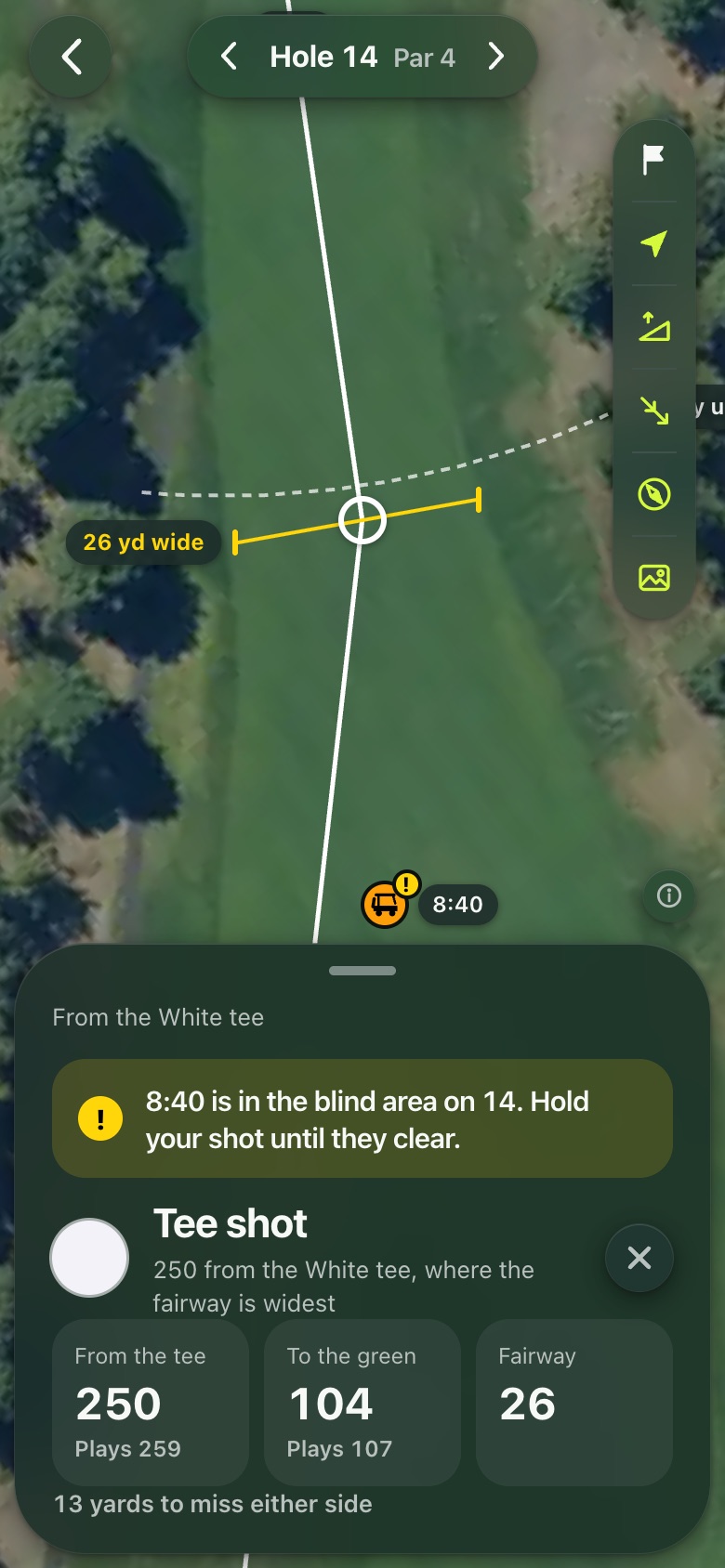
  • On the tee, a target where the fairway is widest at your tee shot distance, with the fairway's width there.
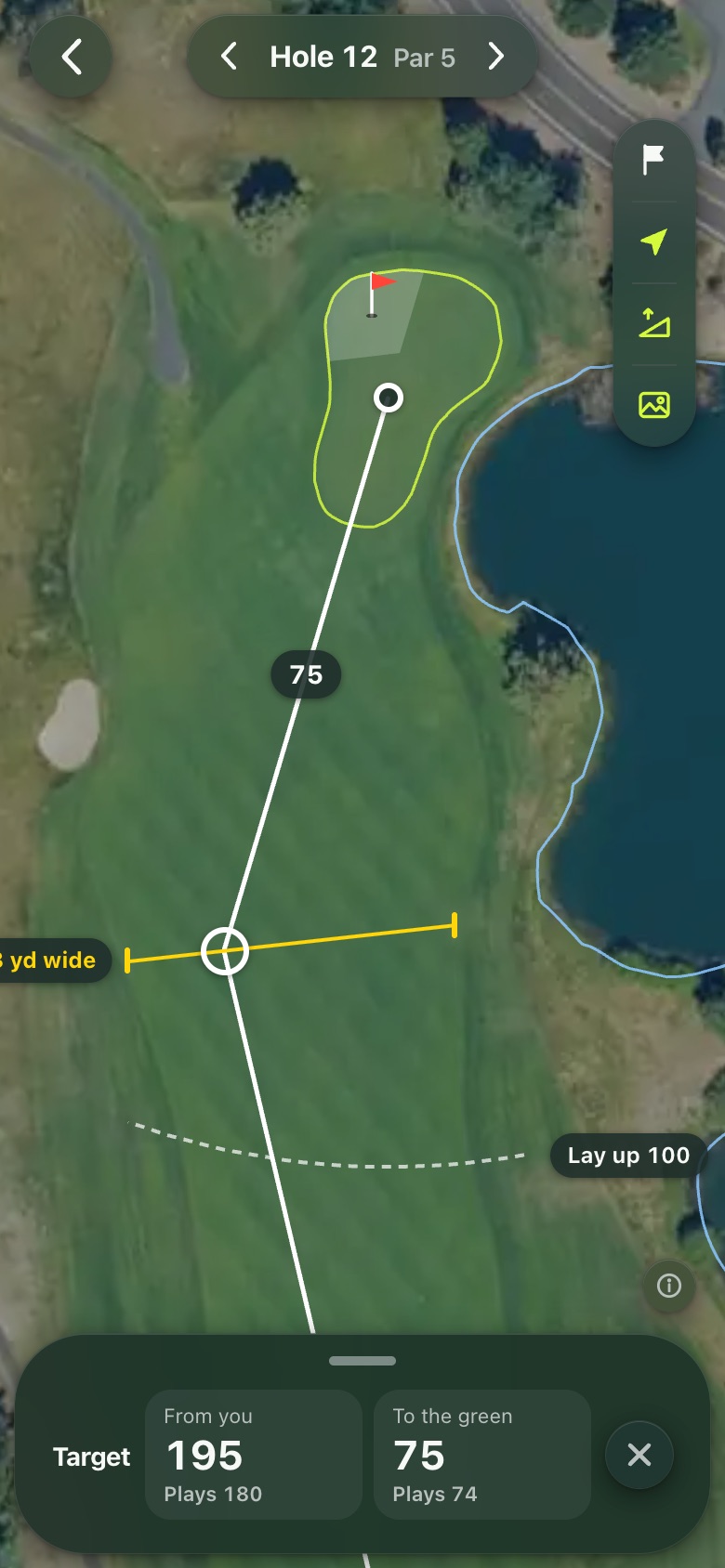
  • Tap anywhere for a target: yards from you, yards left to the green, and the width of the fairway.
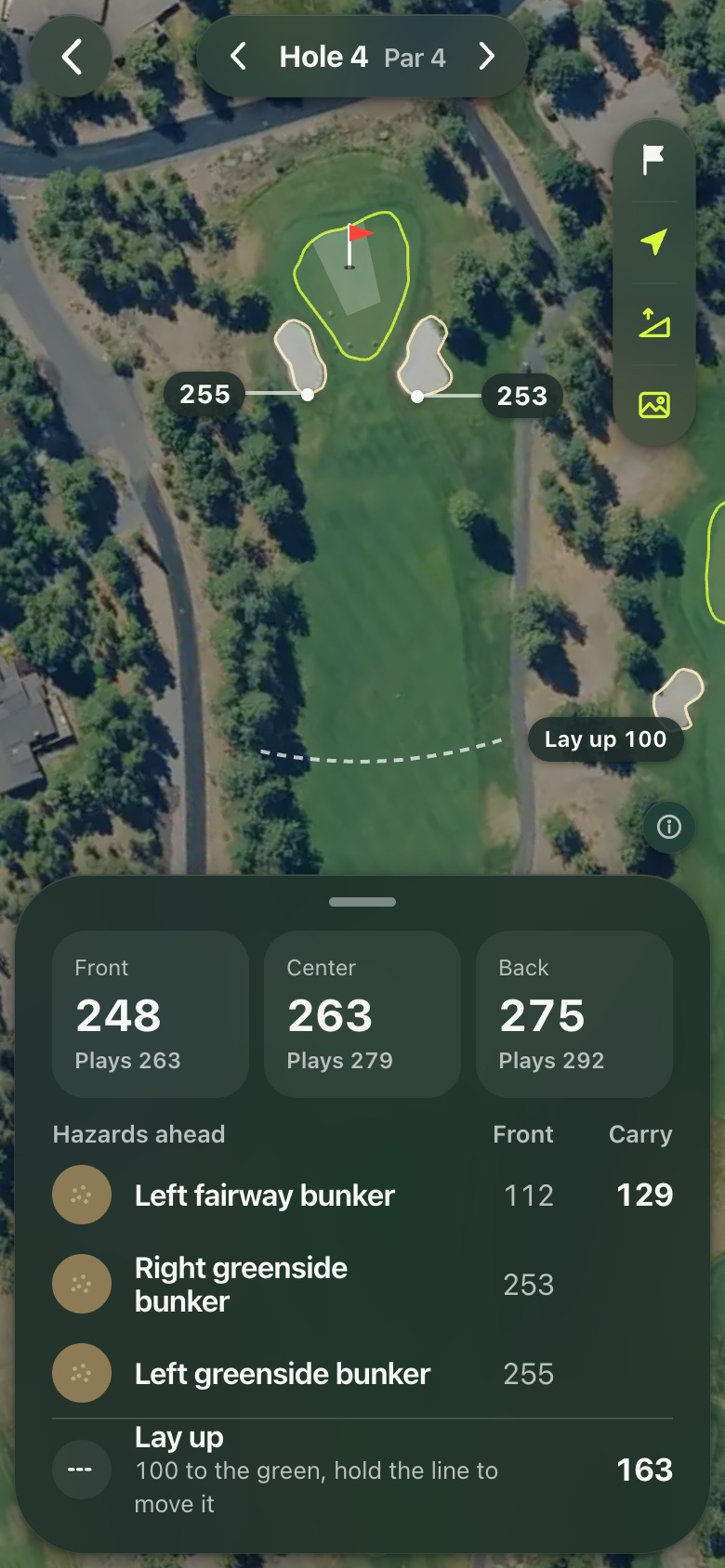
  • Bunkers and water with yards to the front and to carry them.
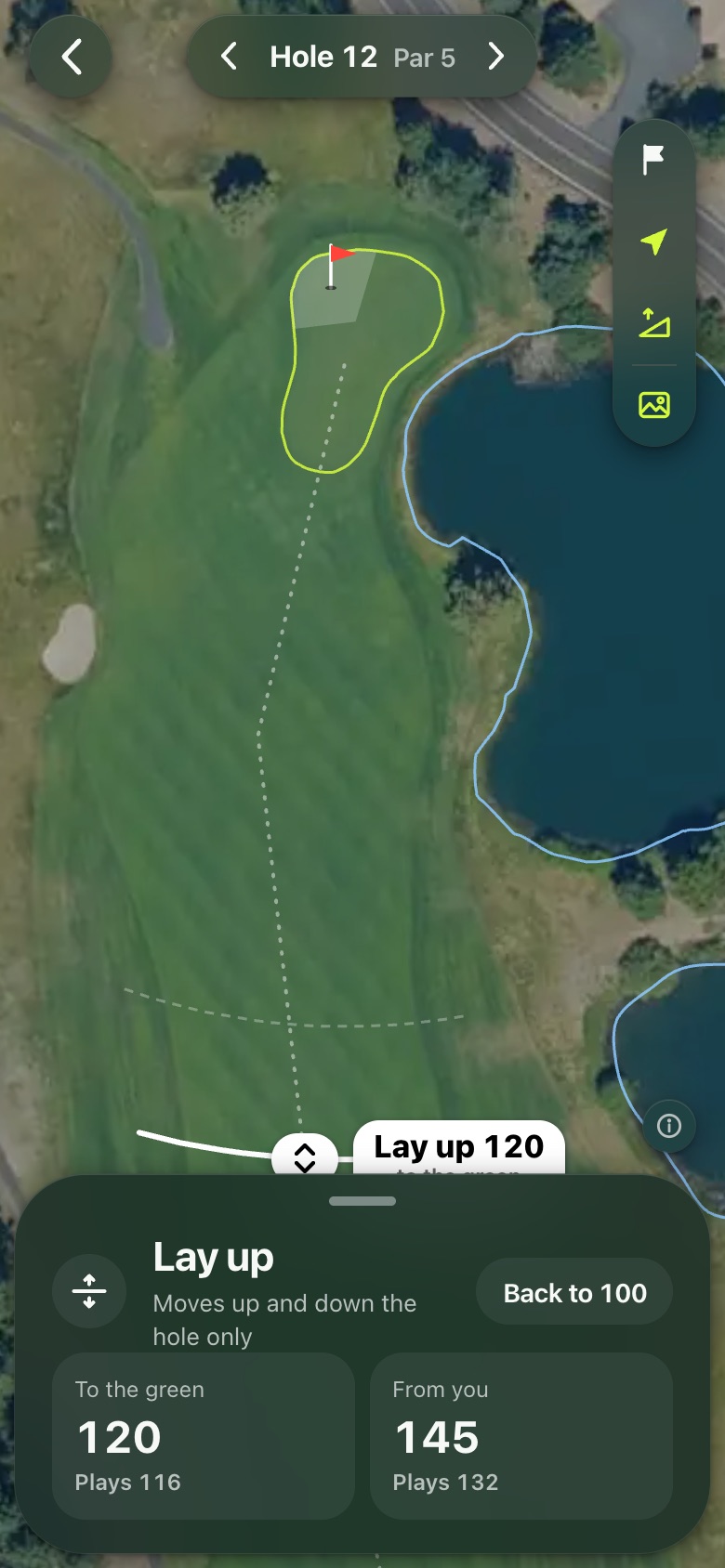
  • A lay up line you can drag up or down the hole.
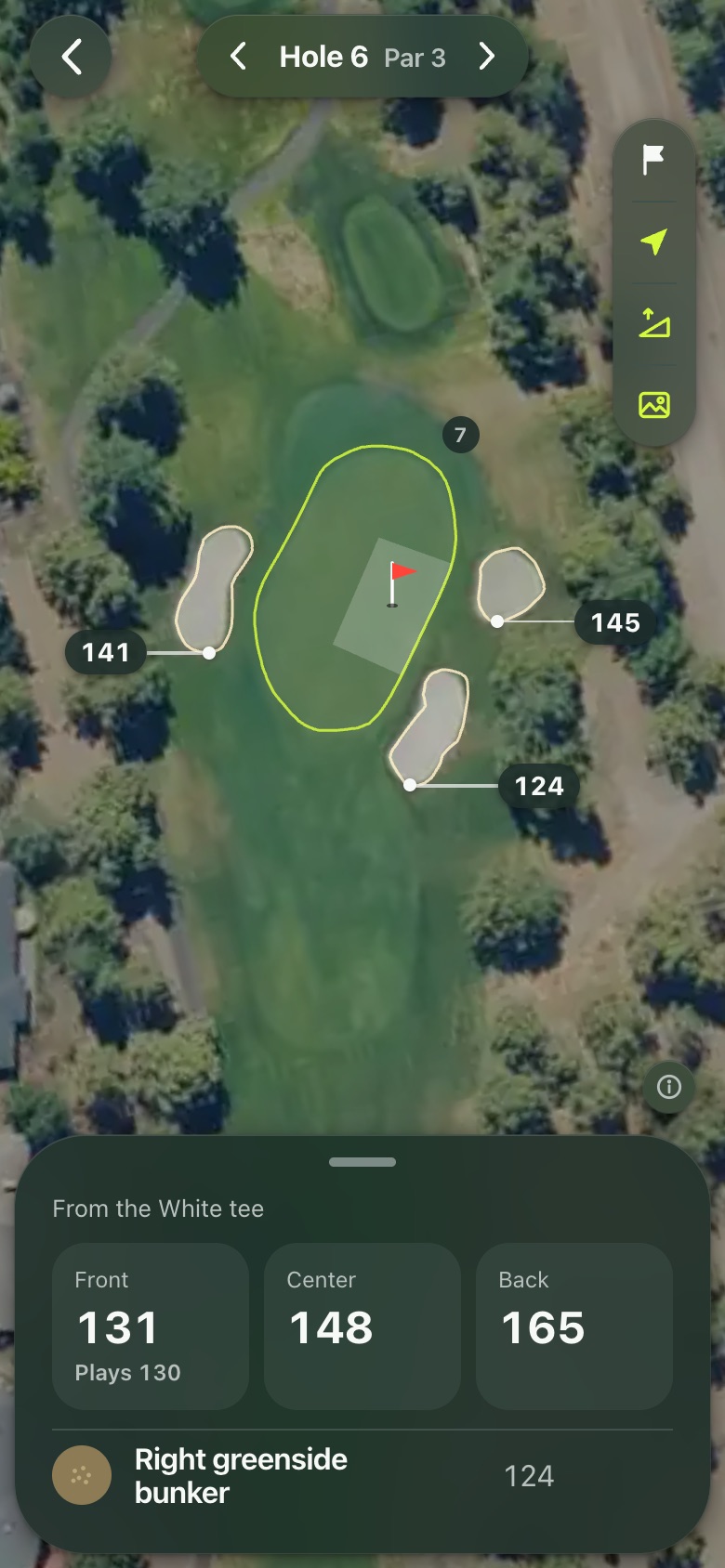
  • On a par 3, the green and the bunkers around it.
Tee shot target
Tee shot target
A target you place
A target you place
Hazards and carries
Hazards and carries
Lay up
Lay up
A par 3
A par 3
On the course

Green slopes

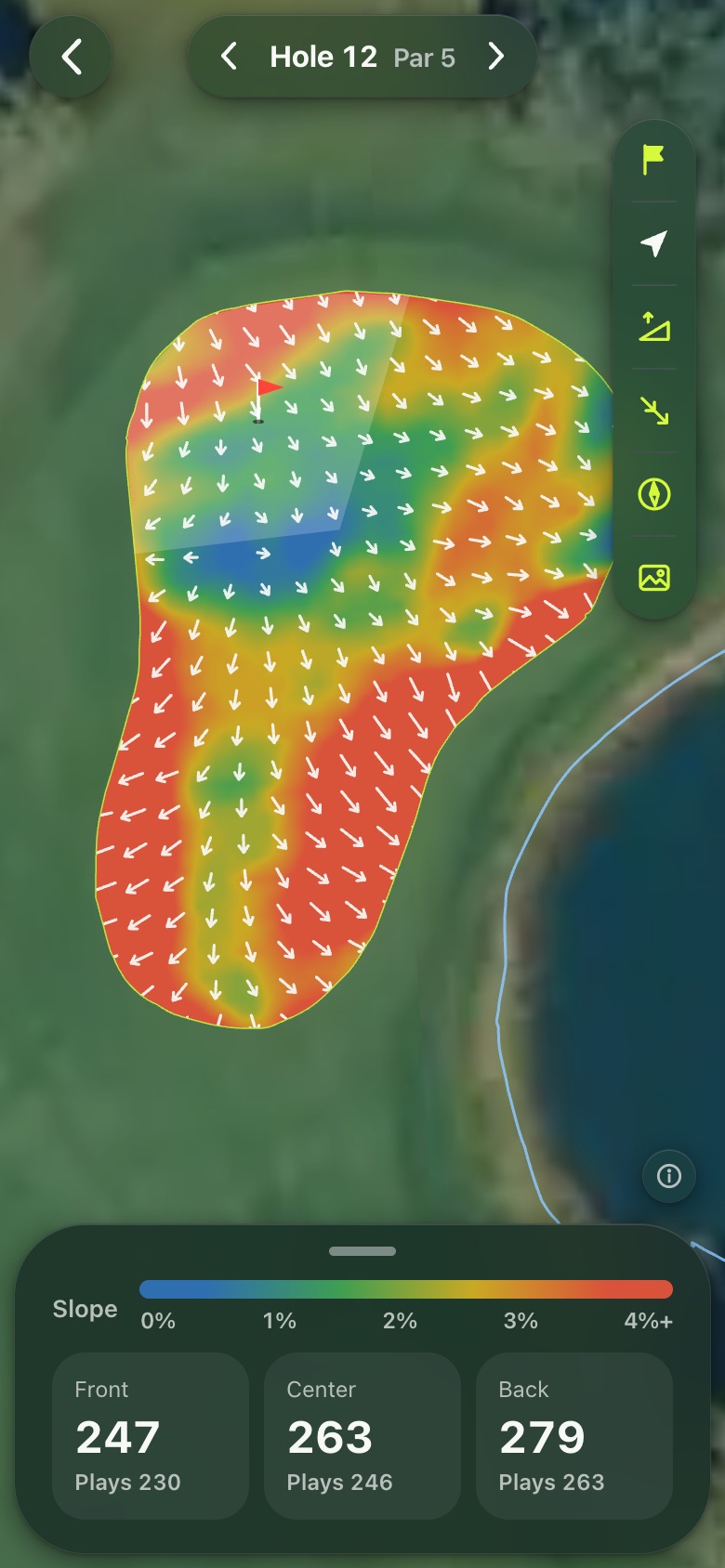
Zoomed in on the green, the slopes are shaded from flat (blue) through green and yellow to steep (red), with arrows pointing downhill.

Hole 12's green
Hole 12's green
On the course

The course map

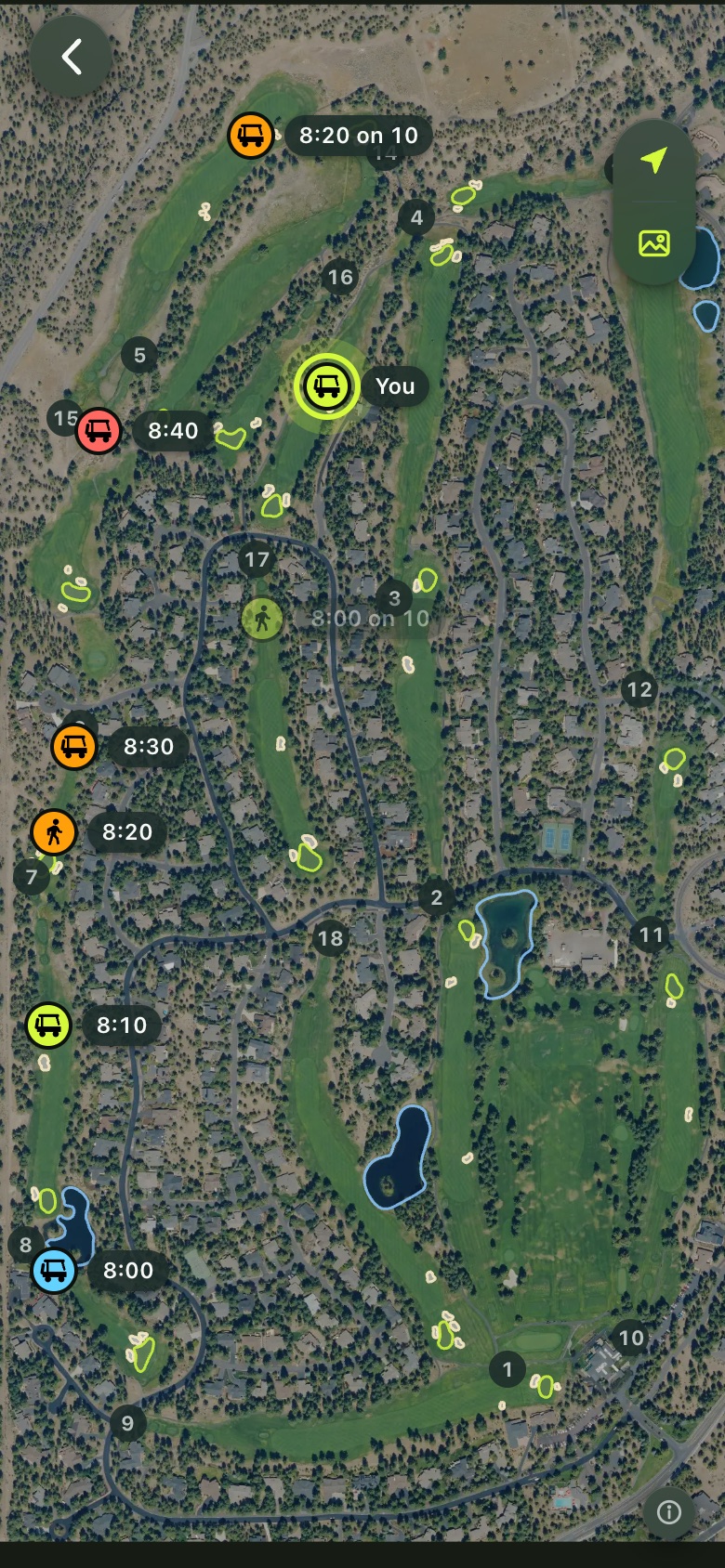
During a round the map shows every group on the course, labeled only by tee time.

  • Zoom out to see the whole course and where everyone is.
  • A group in a blind area of the hole you're playing gets a yellow warning, and the map tells you to hold your shot until they clear.
  • Sharing is off whenever you like, in Settings.
Every group by tee time
A group in the blind area on 14
Scoring

Scoring for your group

Keep the whole group's score on one phone.

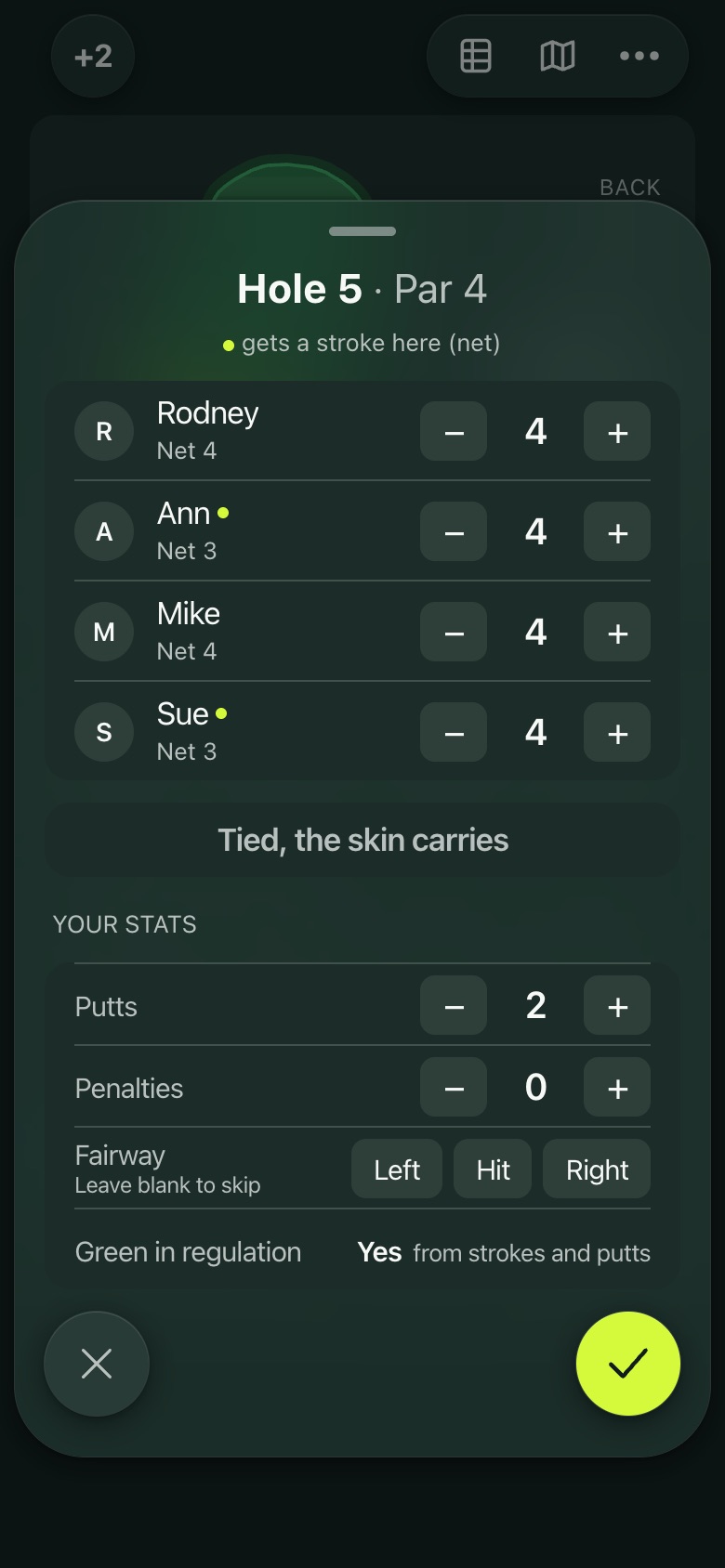
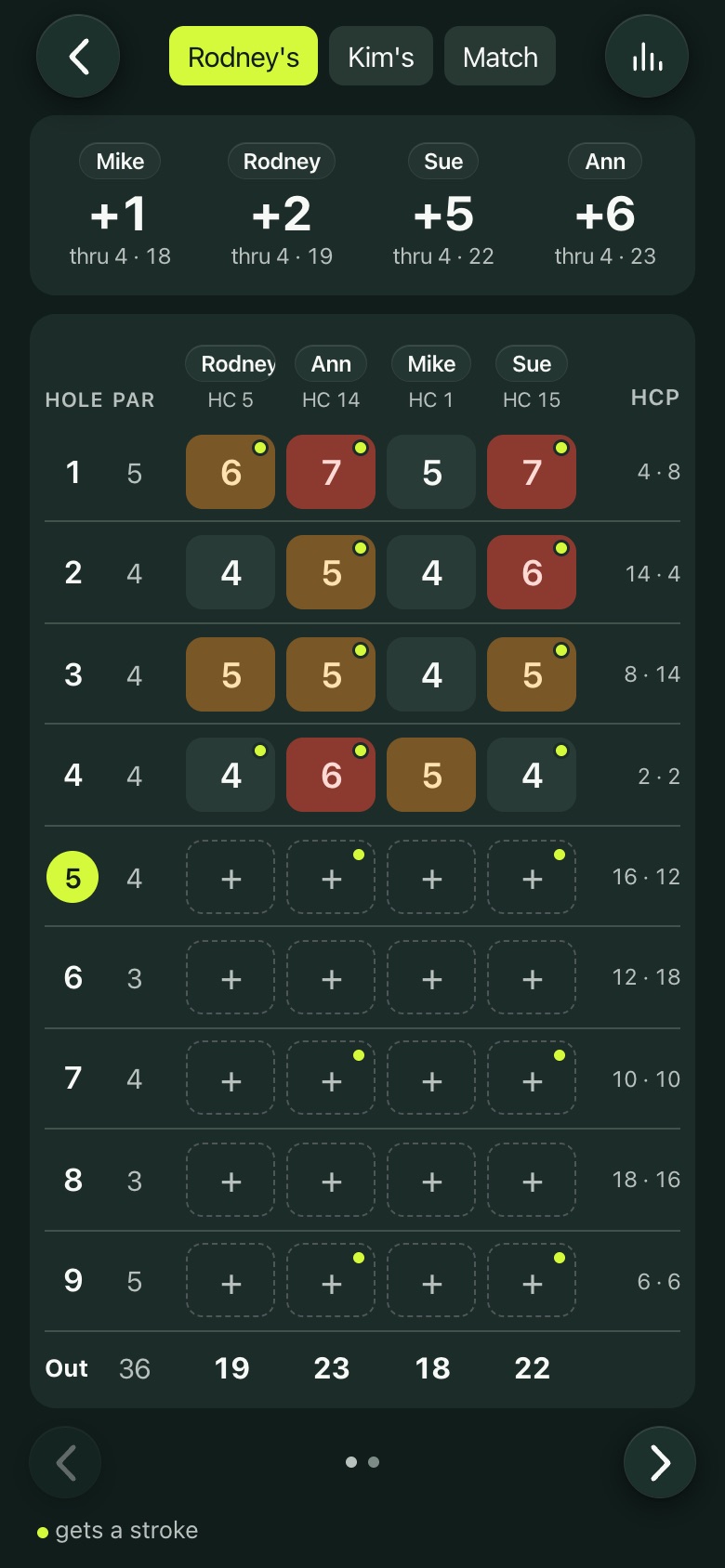
  • The score sheet opens by itself as you leave each hole. Every player is on it, with a dot for each handicap stroke and the net worked out.
  • Your own putts, penalties, fairways and greens, if you want stats.
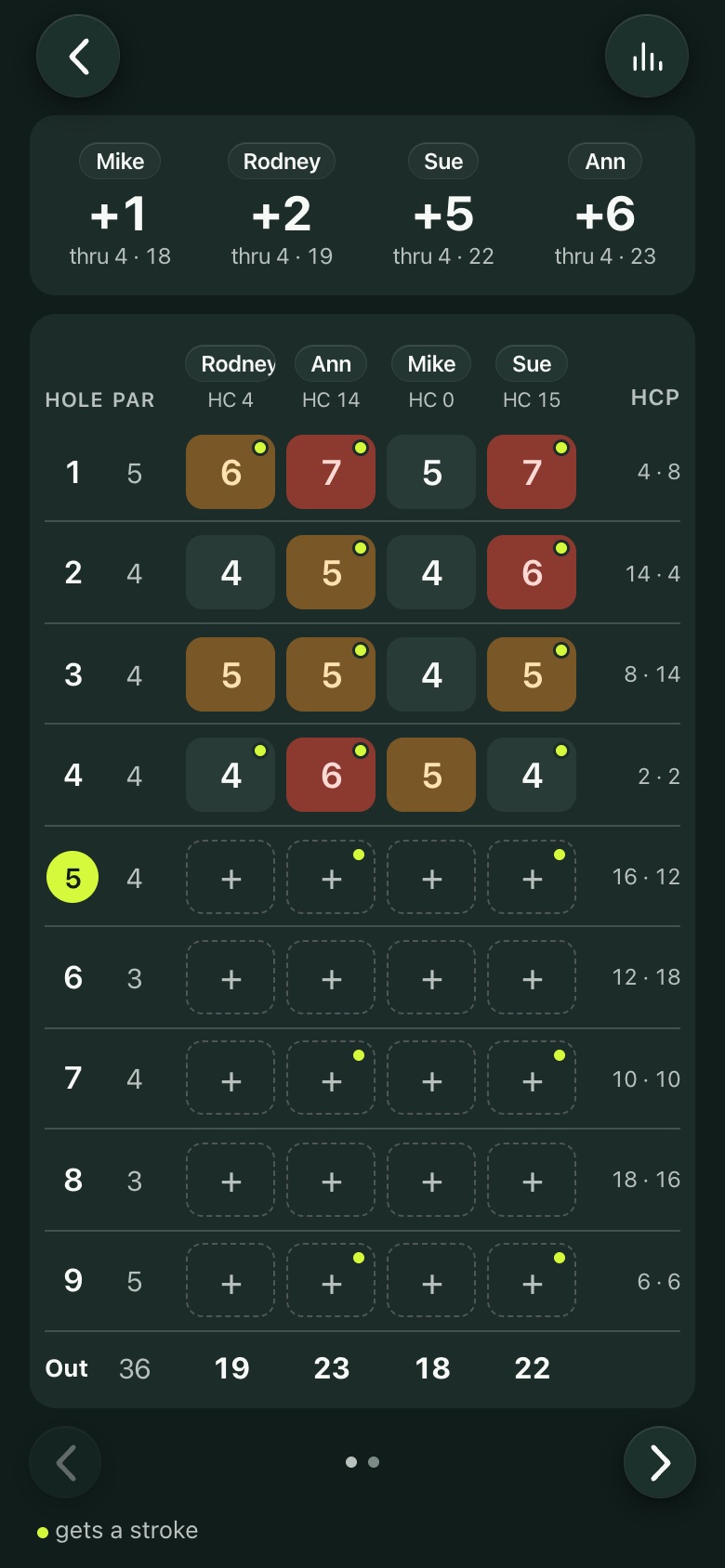
  • The card: scores colored against par, stroke dots, the stroke index, and the standings across the top. Tap any hole to fix a score.
Opens as you leave the hole
The card
The card
Scoring

Side games

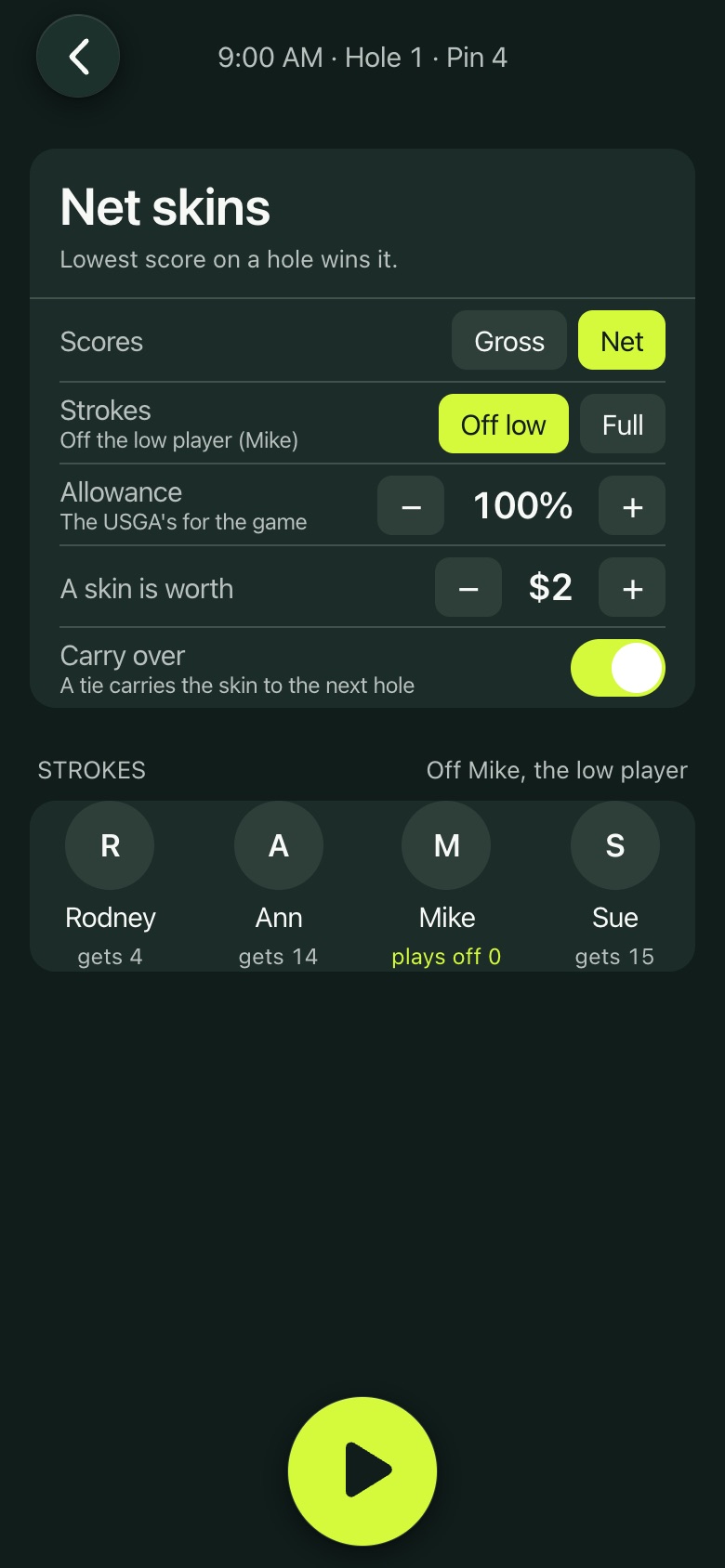
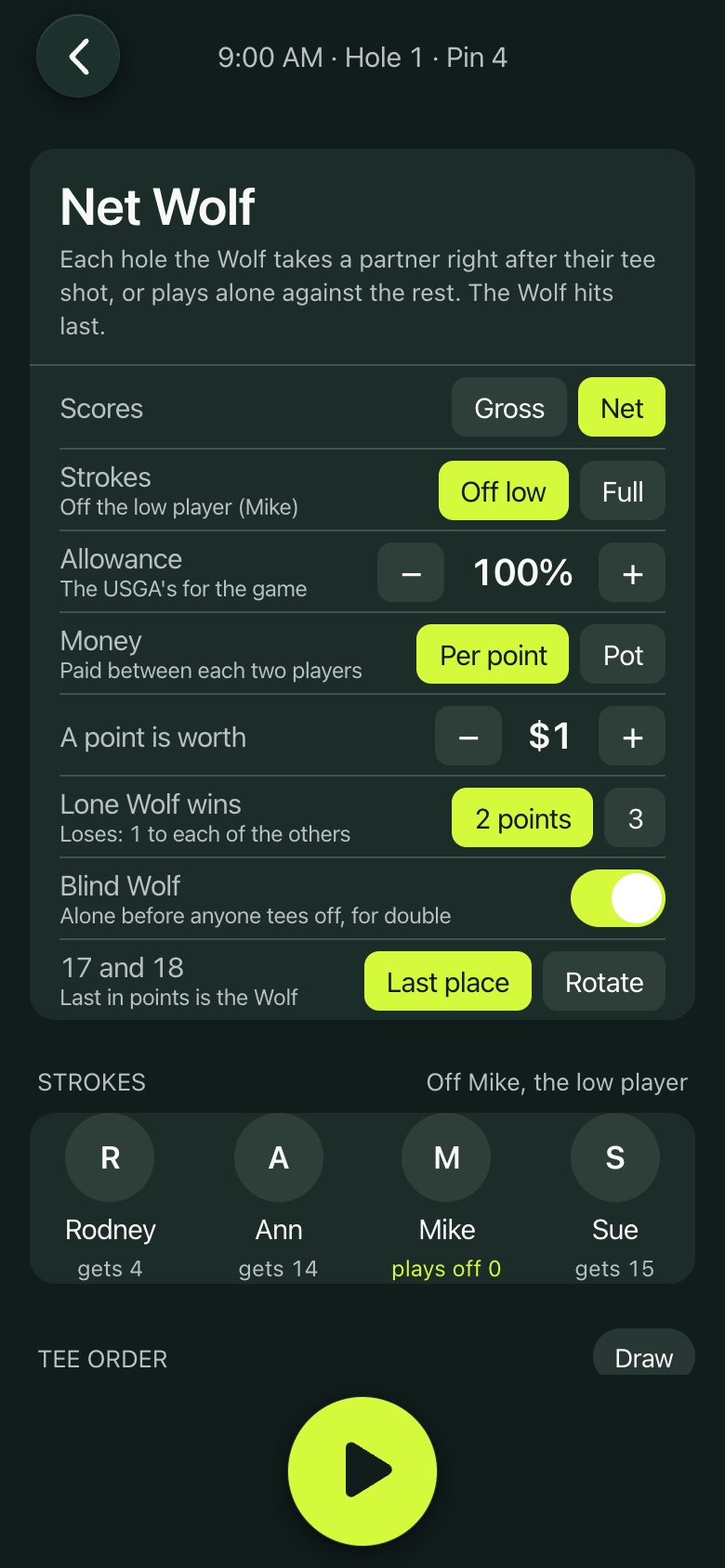
Pick a game on setup or add one after you tee off. Handicaps, allowances and strokes off the low player are all handled.

  • Skins (net or gross, with carry over), stroke play, match play, Nassau, Quota, Odd and even, 6-6-6 and The Nines.
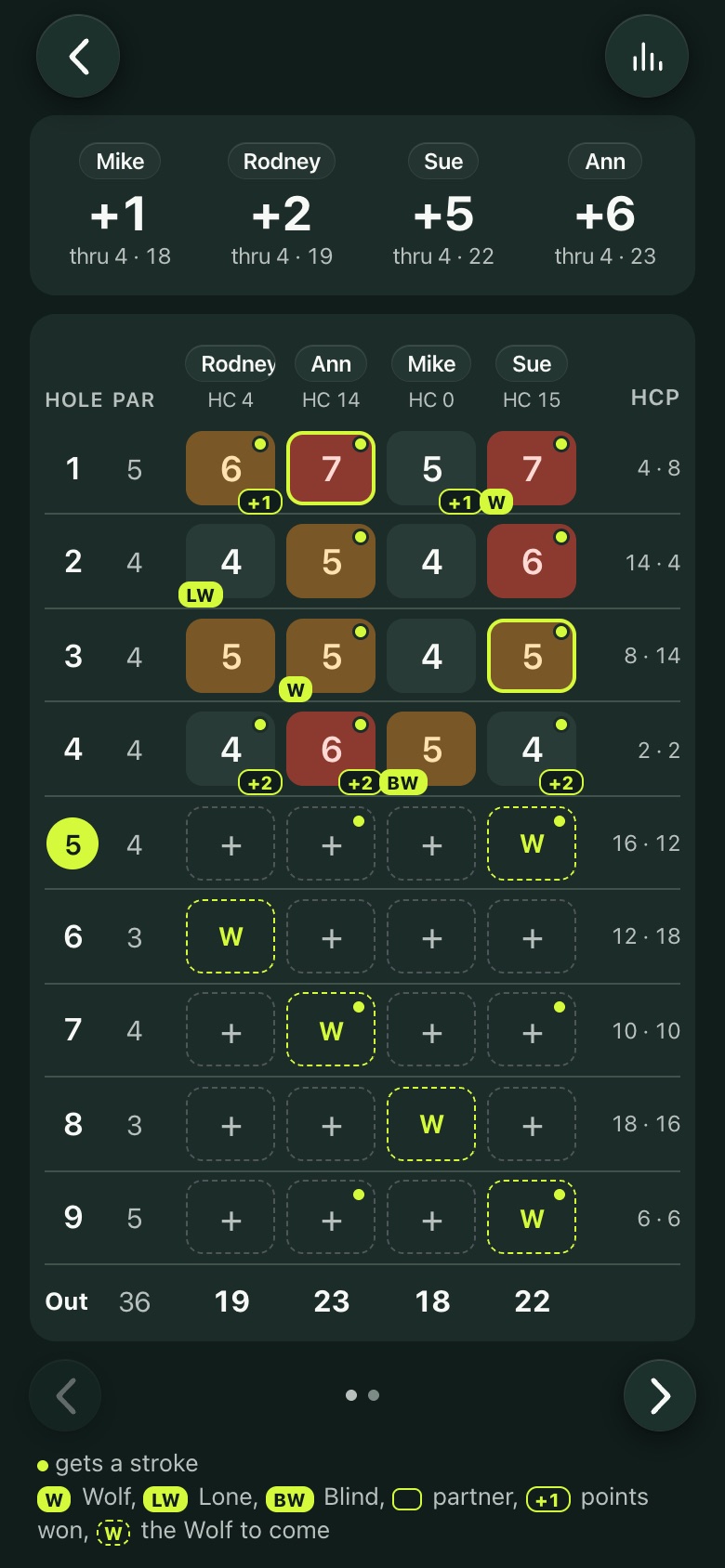
  • Wolf: the Wolf rotates through the tee order, and the pick (a partner, Lone or Blind) is one tap on the score sheet. The card marks the Wolf, the partner and the points.
  • Each game's running result on the round screen.
A game's settings
A game's settings
Wolf on the card
Wolf on the card
Wolf's settings
Wolf's settings
Nassau in play
Nassau in play
Scoring

Settle up

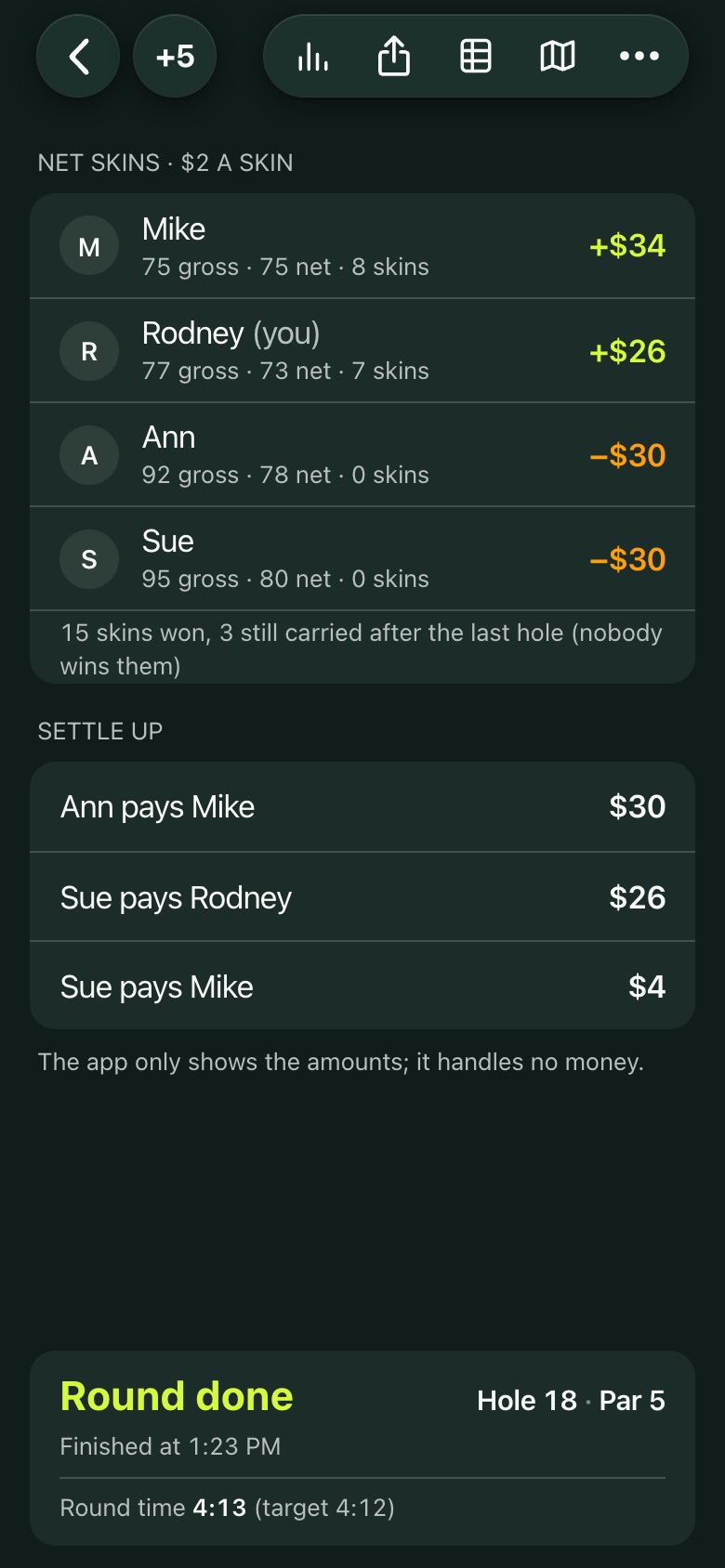
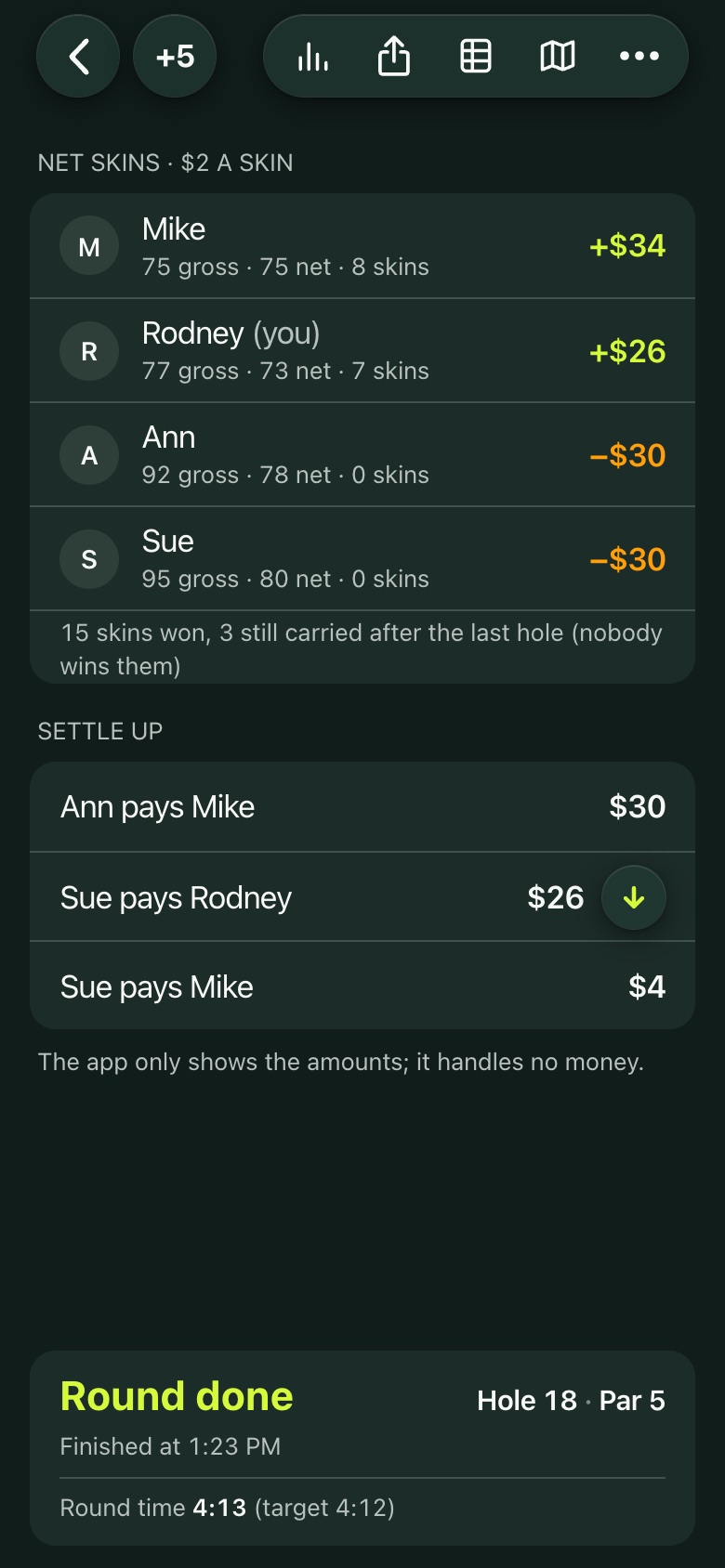
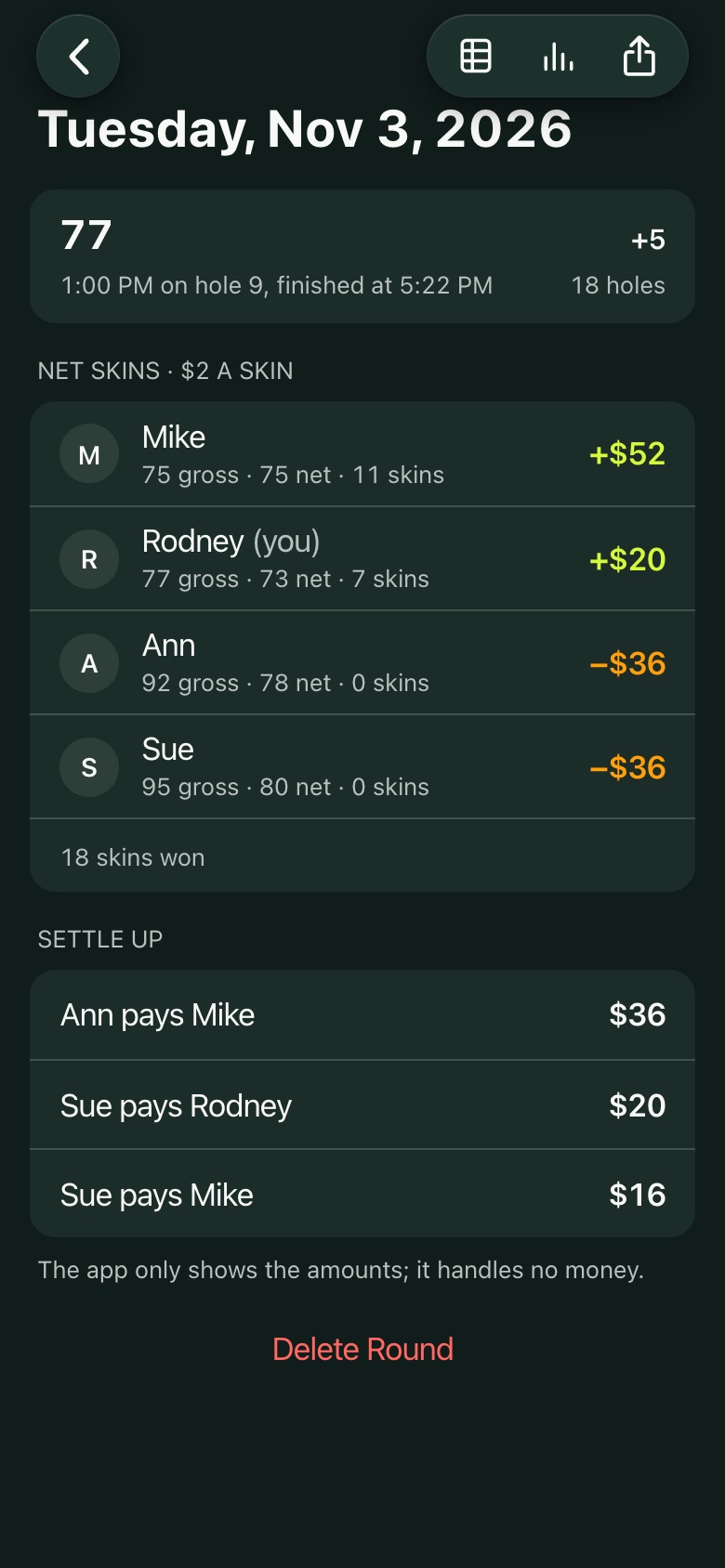
When the round is done the app shows who won what and who pays whom, in as few payments as possible.

  • Add your Venmo username and an arrow on each of your rows opens Venmo with the amount and a note filled in.
  • The app only shows the amounts. It never handles money.
Results and Settle up
Pay or request in Venmo
Scoring

Group against group

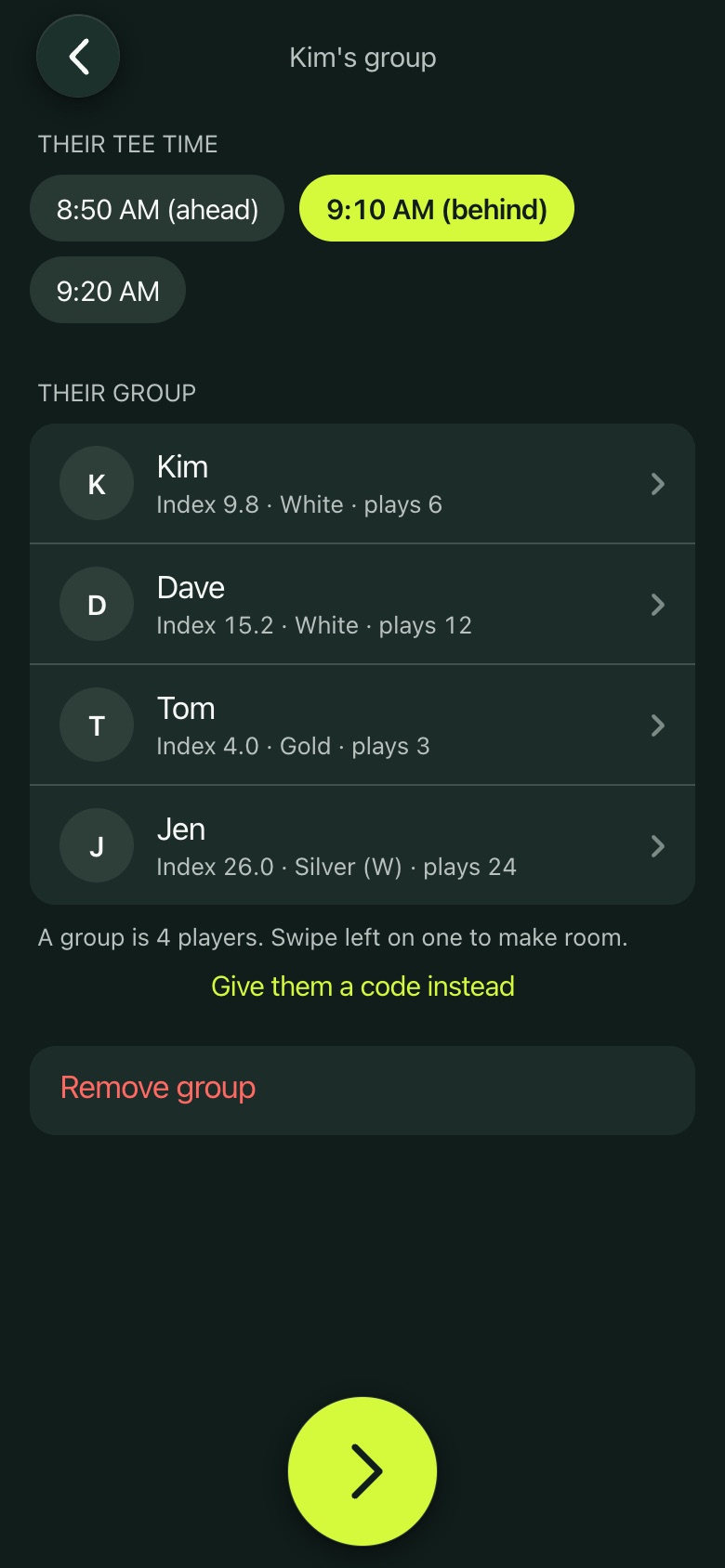
Play a match against another group. Each group keeps its own card on its own phone, joined with a four character code.

  • Best ball, best 2 balls, skins and stroke play across both groups, Low Low, and the team games.
  • Strokes across everyone in the match, and Settle up between the groups.
  • The card has your group, theirs, and the match.
Add the other group
Add the other group
The match on the round screen
Yours, theirs and the match
Leagues

Leagues

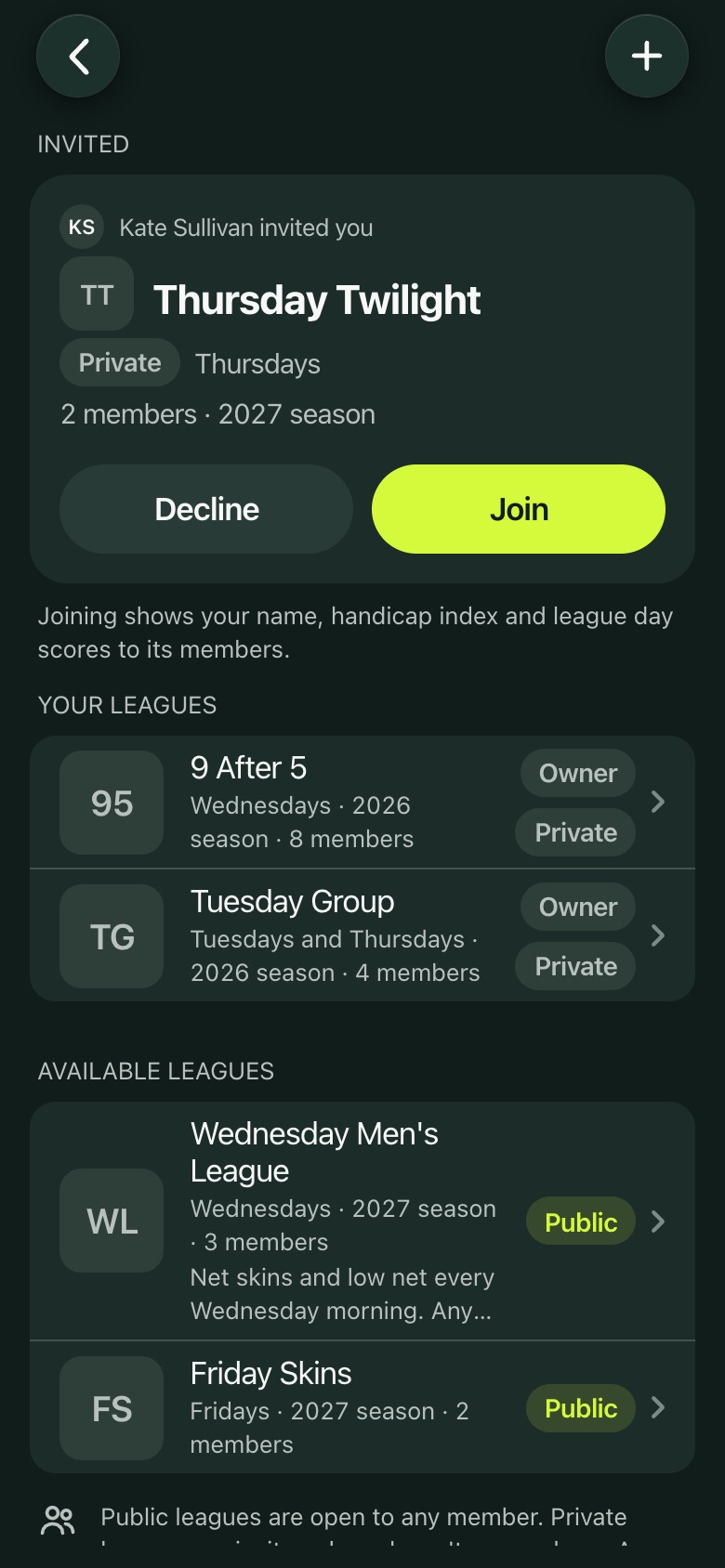
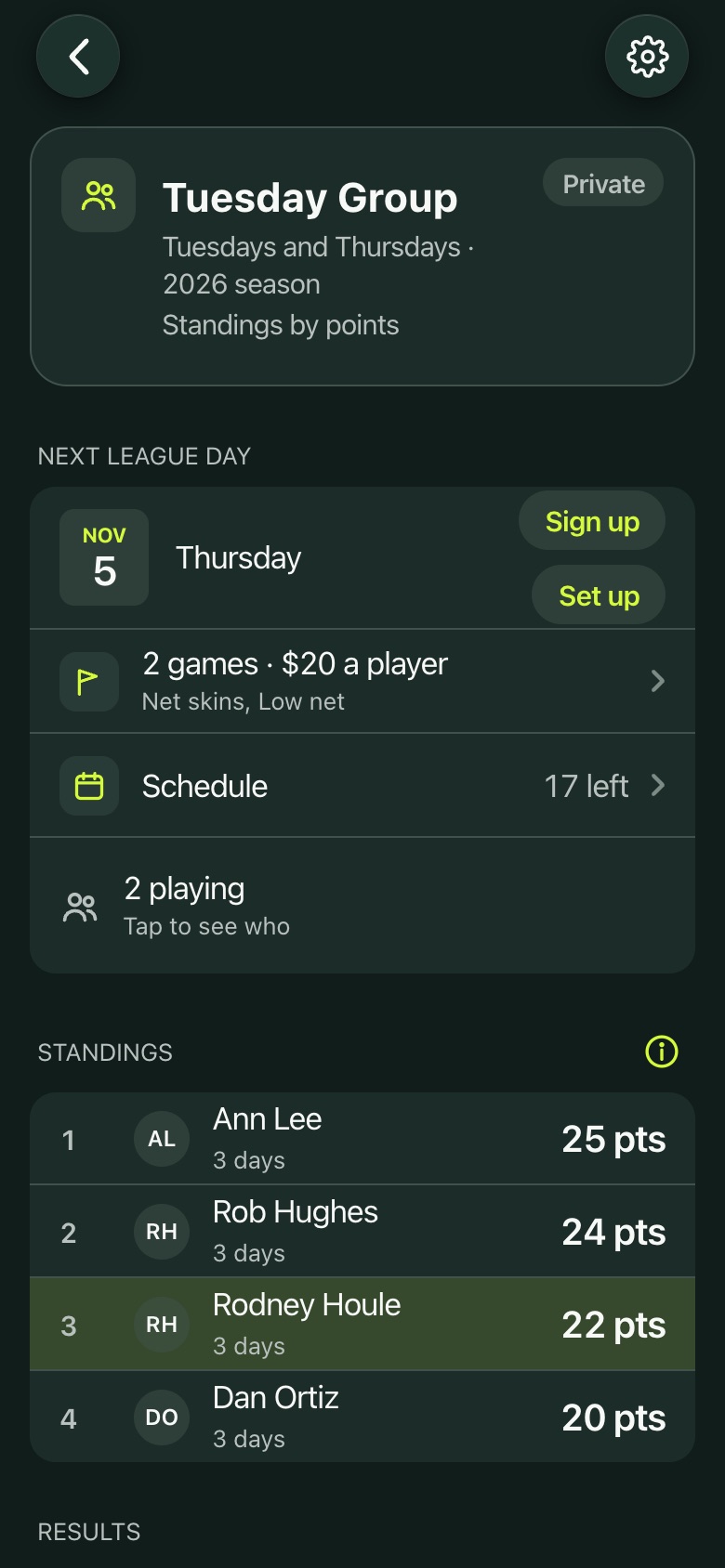
Join a league or start your own. Members sign themselves up for each league day in the app.

  • Private leagues (members by invite) and public ones (any member joins with a tap).
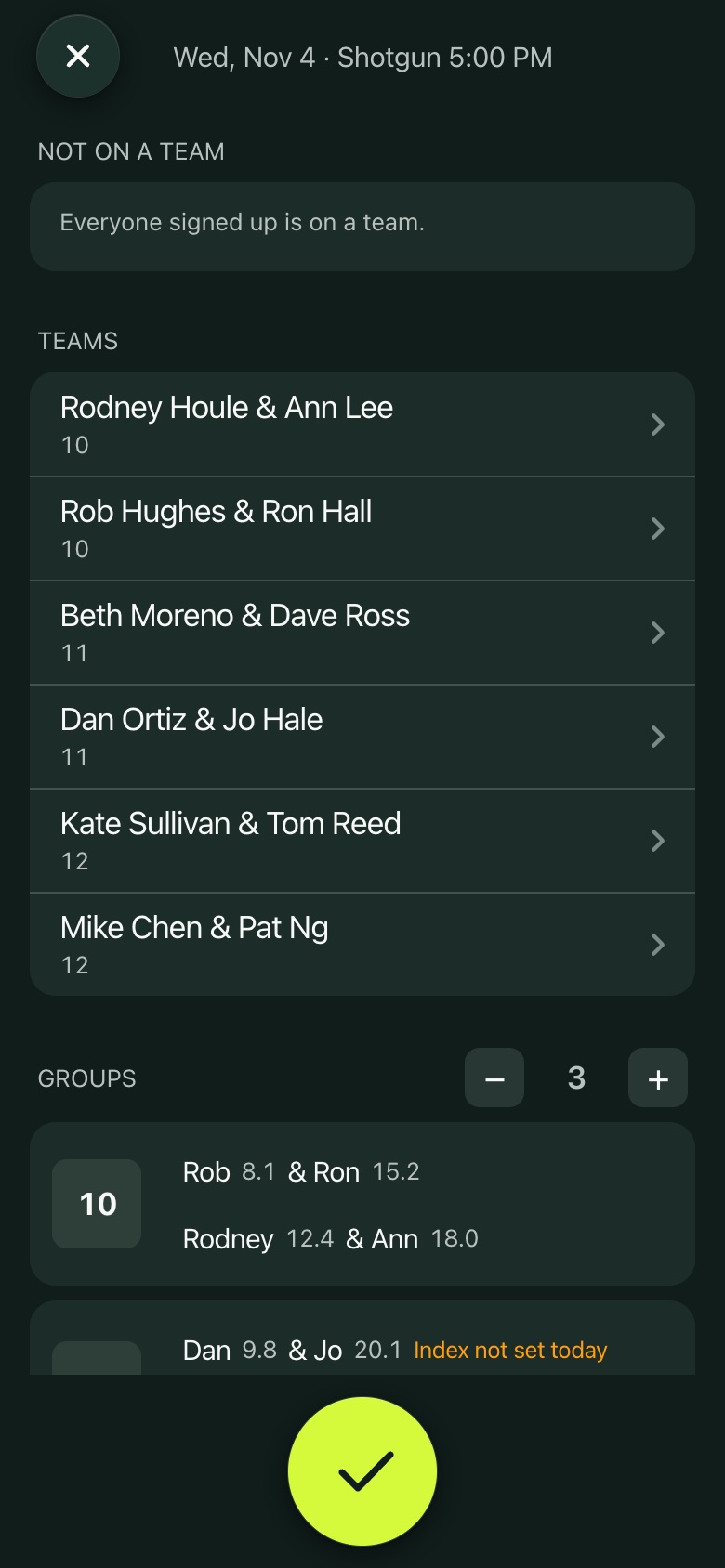
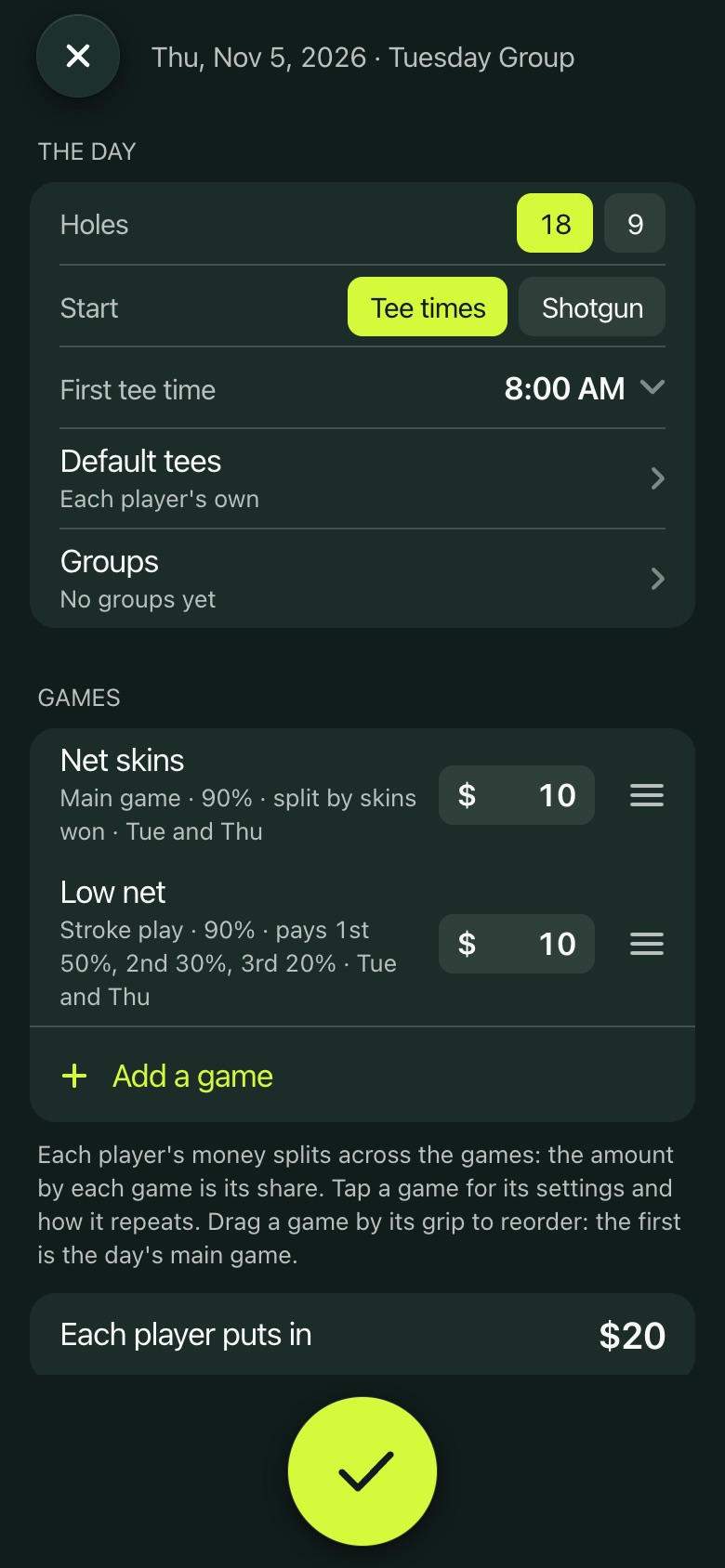
  • Each league day's games, buy in and payouts, tee times or a shotgun, and groups or teams set by the admins.
  • A notification when the day starts, straight to your group's countdown.
  • Anyone in the group can keep the scorecard, and a live leaderboard covers every group.
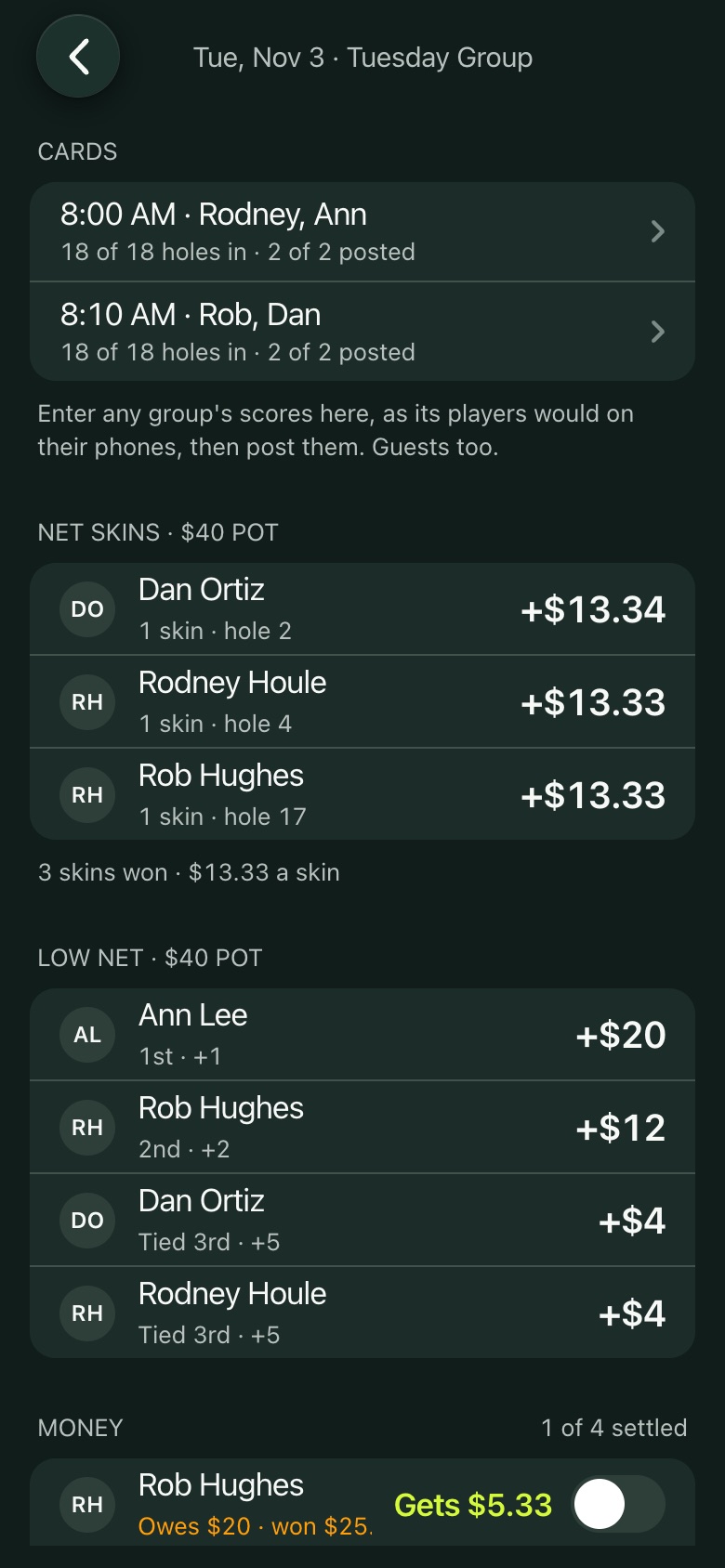
  • Results, money and season standings worked out from the posted cards.
Your leagues and public ones
A league's page
A league's page
Setting up a league day
Teams and groups
Teams and groups
A day's results
A day's results
The Loop

The Loop and Loop Challenges

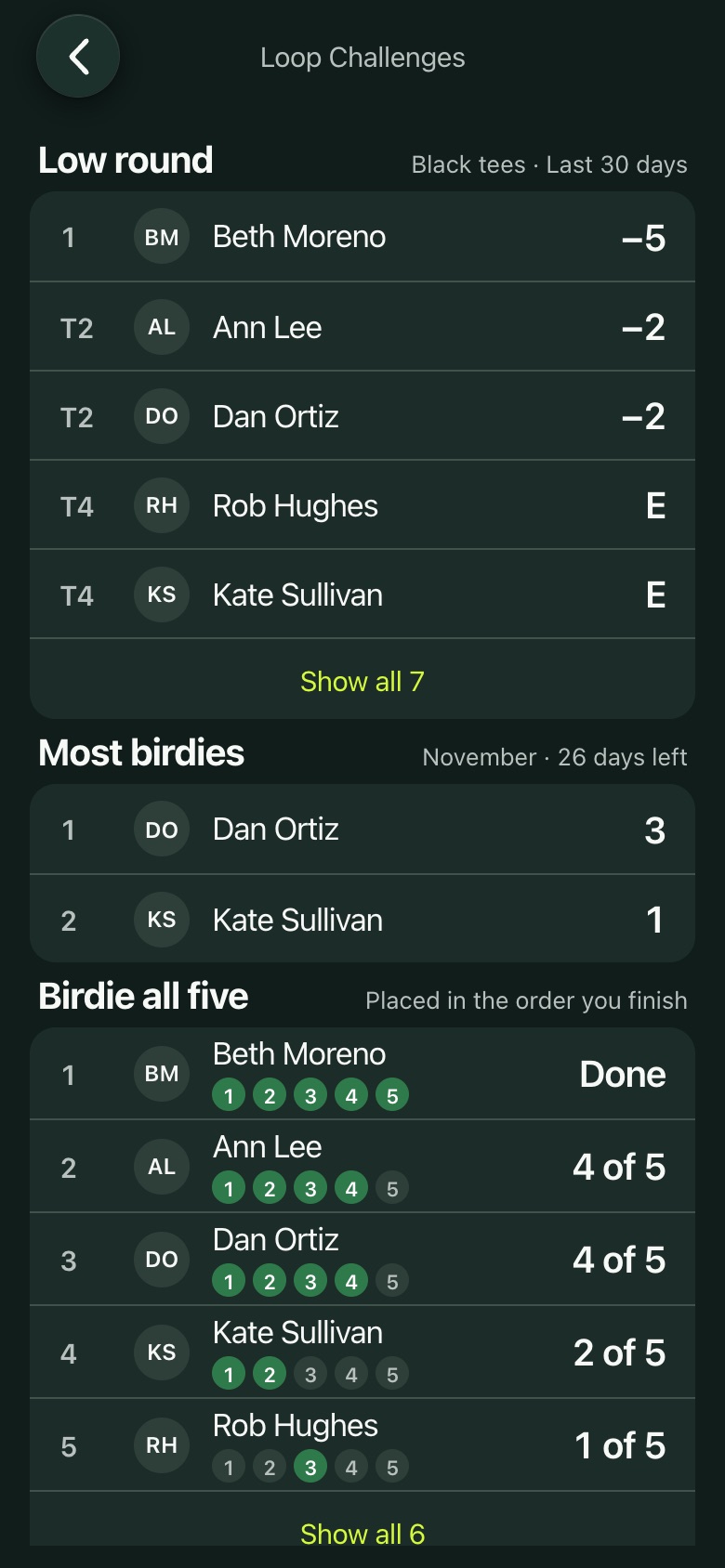
The Loop, the 5 hole par 3 course, has its own rounds: walking, gross scores, yards to each green.

  • Loop Challenges for signed in members: low round over the last 30 days, most birdies this month, and the race to birdie all five.
  • One counted round a day, from the Black tees.
A Loop round
A Loop round
Loop Challenges
Loop Challenges
Your rounds

Achievements

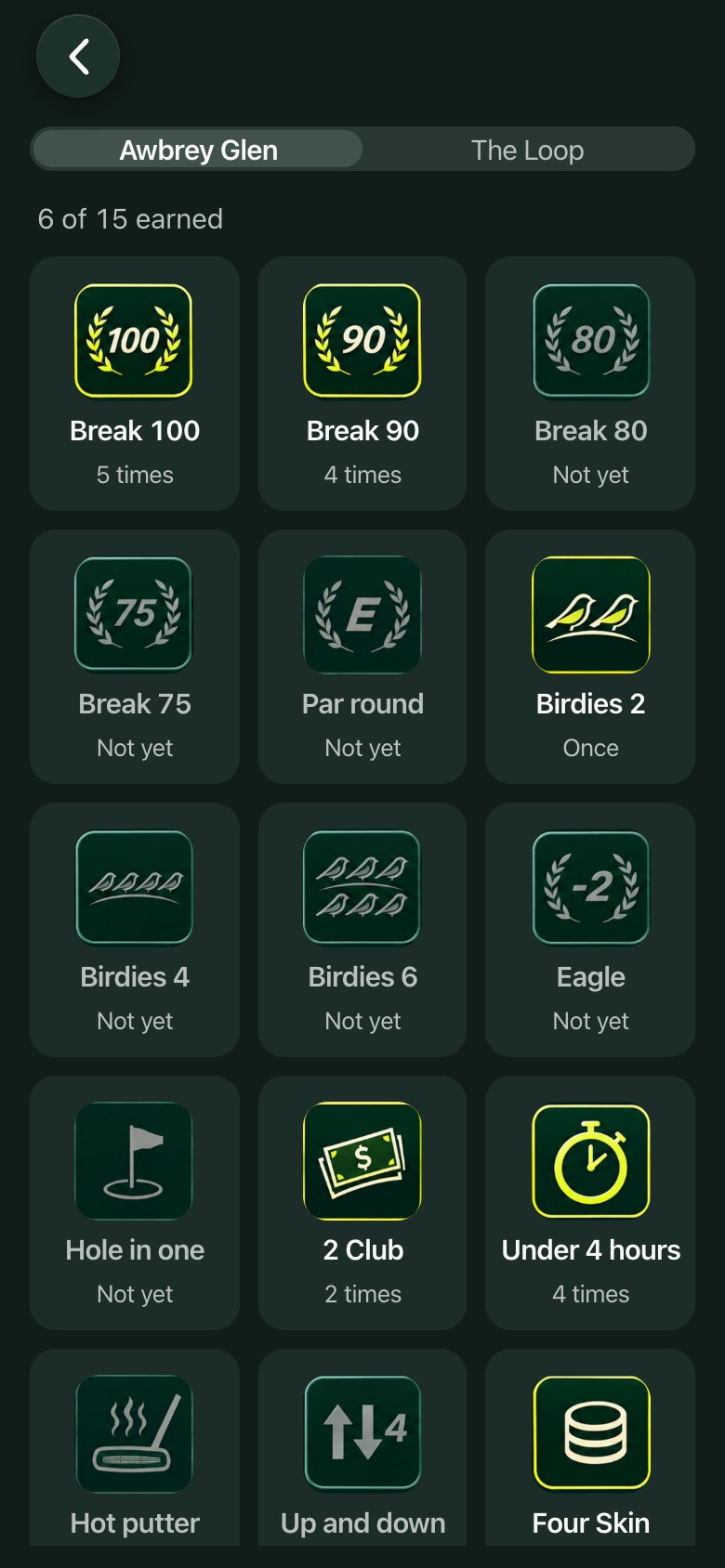
Badges you earn from your own rounds: Break 90, Birdies, 2 Club, Under 4 hours and more, at Awbrey Glen and on the Loop.
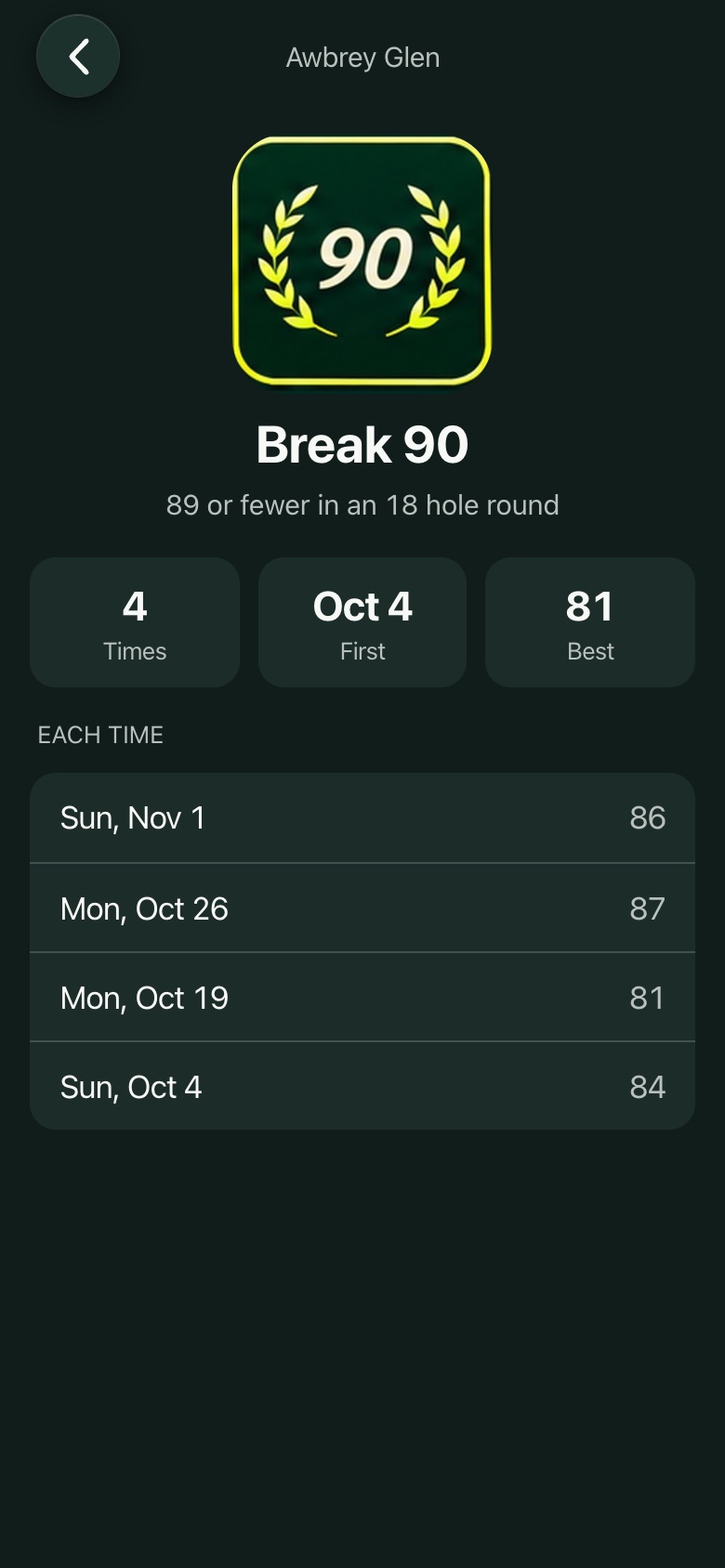
  • Each badge keeps every date you earned it.
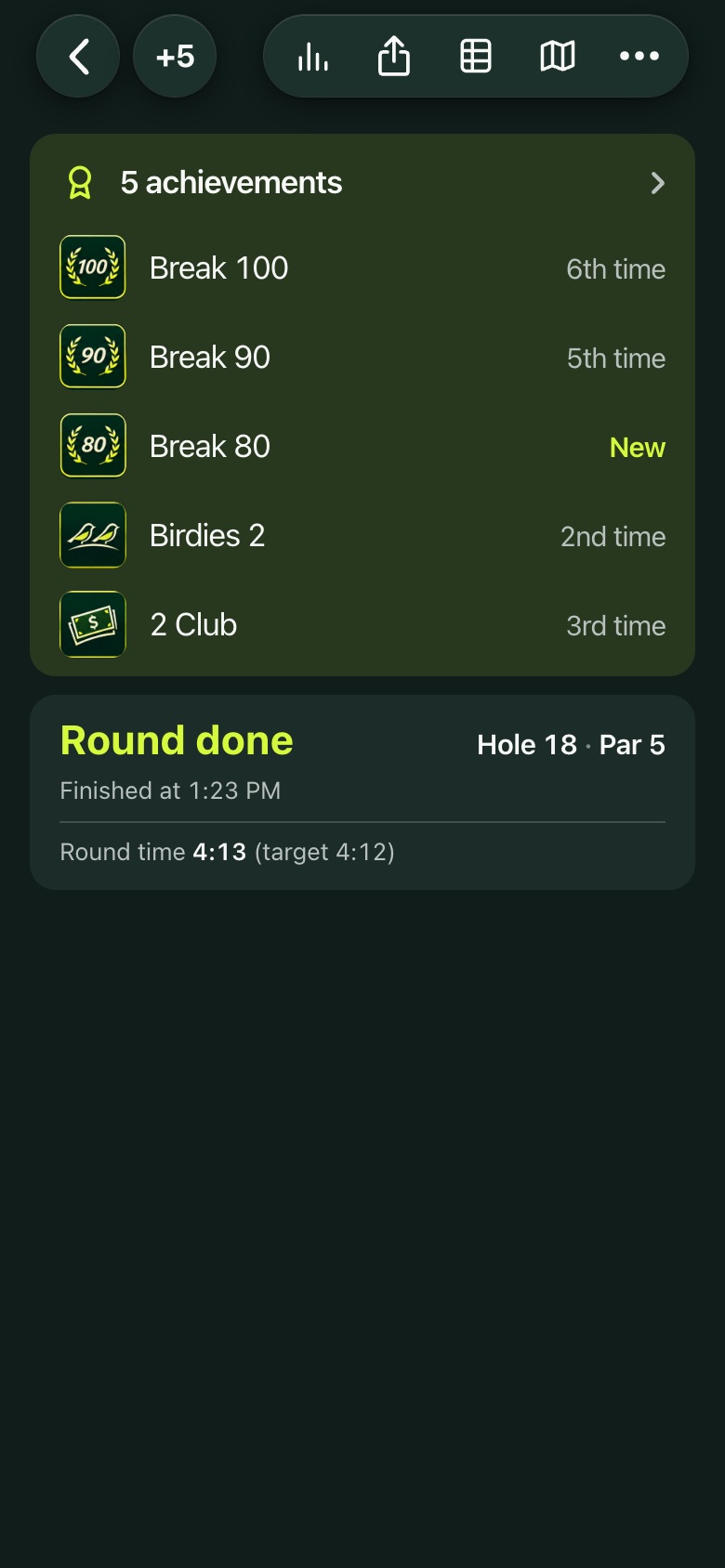
  • New ones show at the end of the round.
Achievements
Achievements
One badge
One badge
Earned at the end of a round
Your rounds

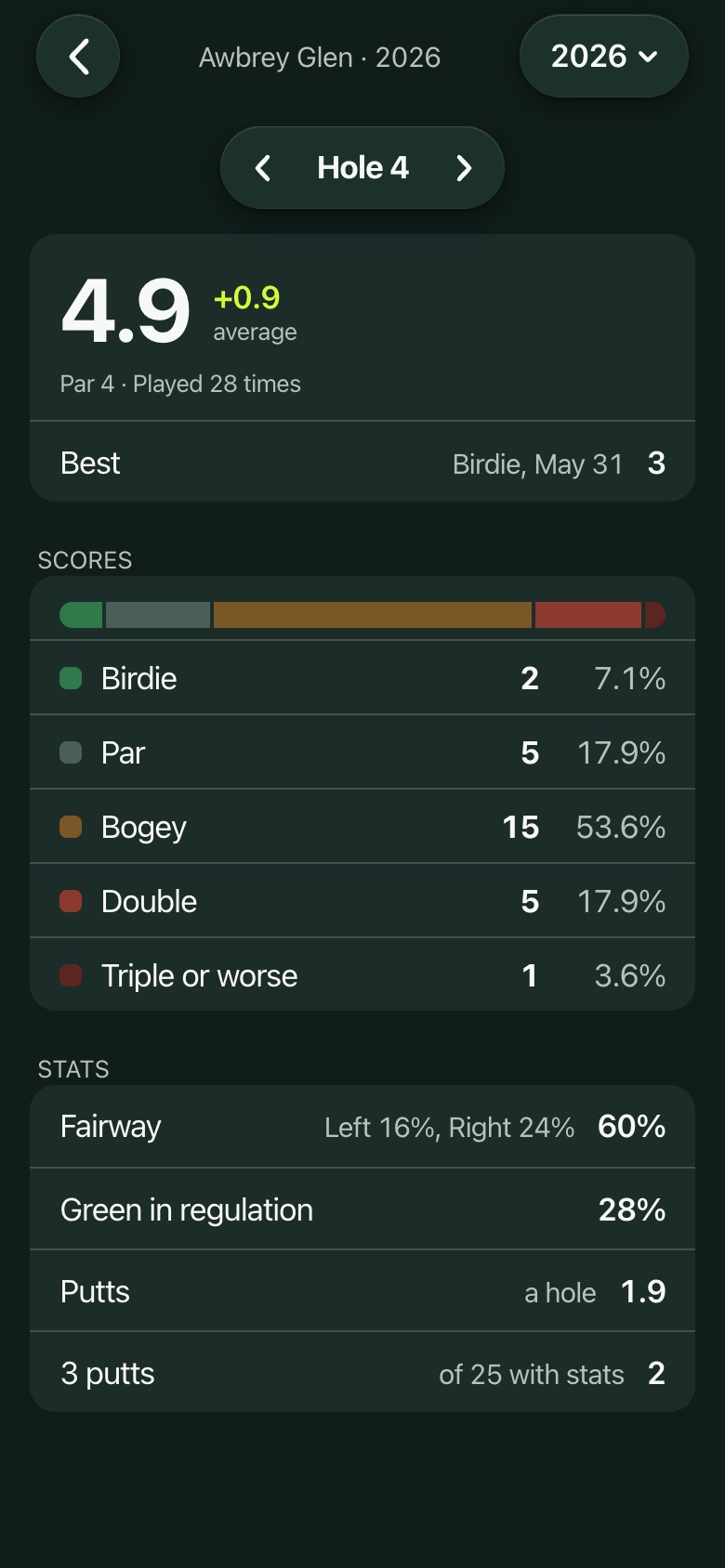
Season stats

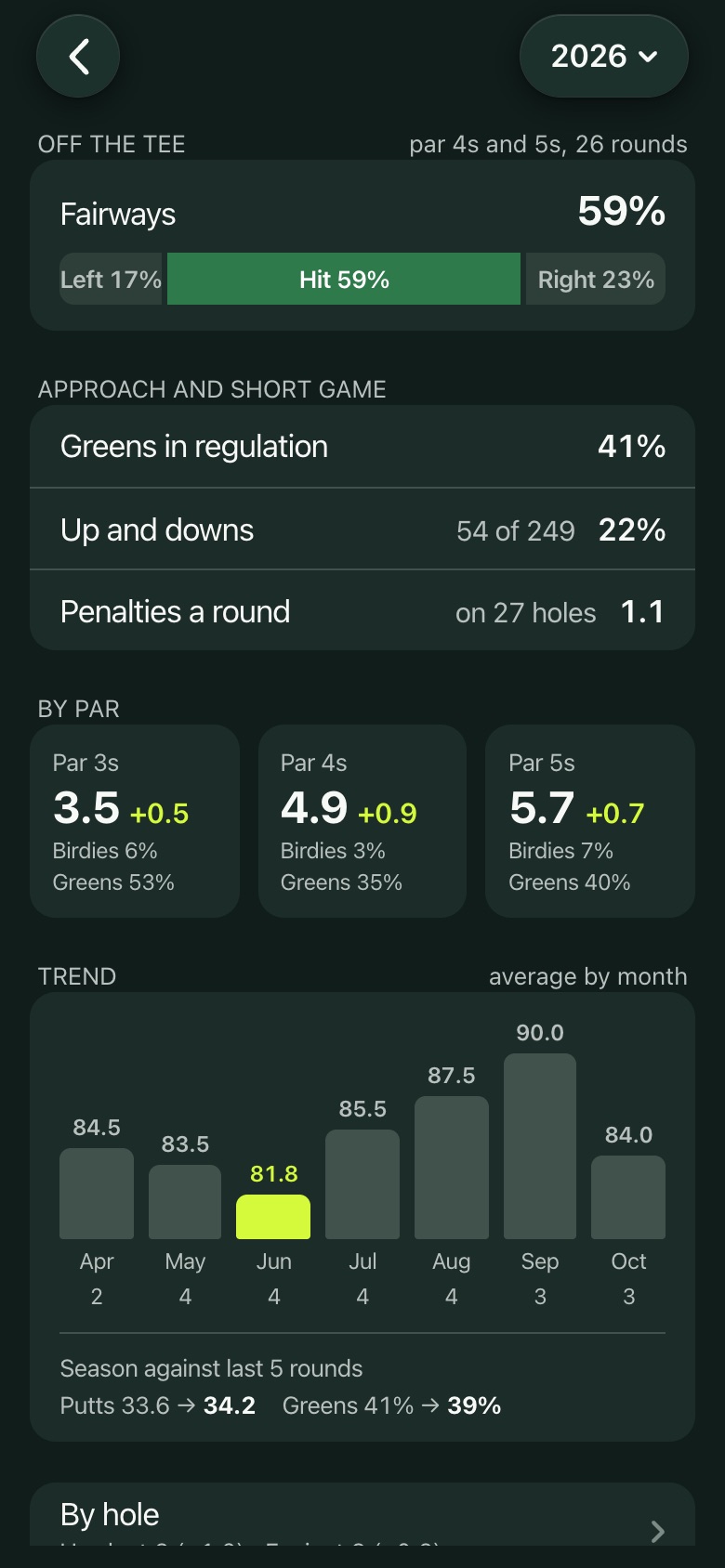
Your own rounds this year, added up for you: scoring average, best round, your last 5 and nine hole rounds, at Awbrey Glen and on the Loop.
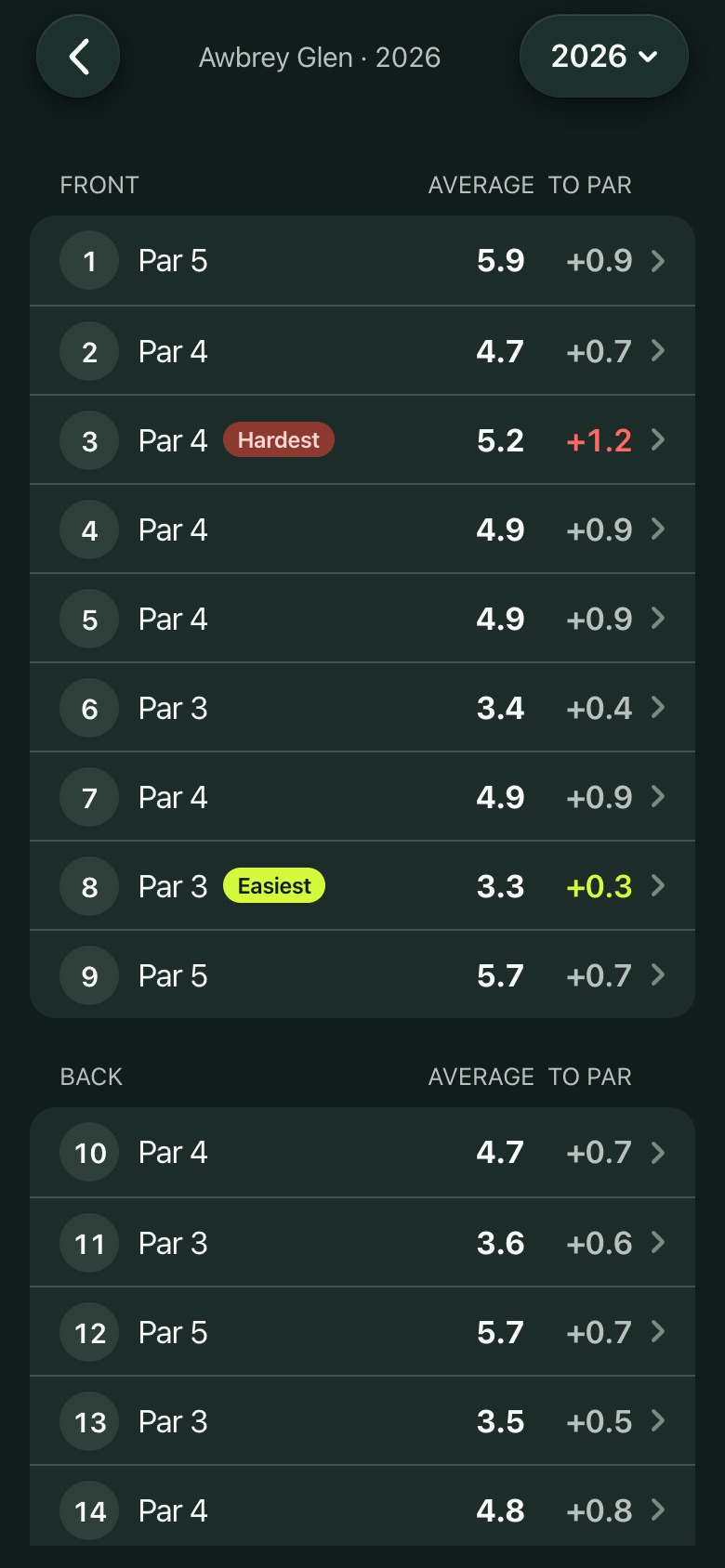
  • Birdies, pars and bogeys a round, putting, fairways left, hit and right, greens, up and downs, penalties, and each par.
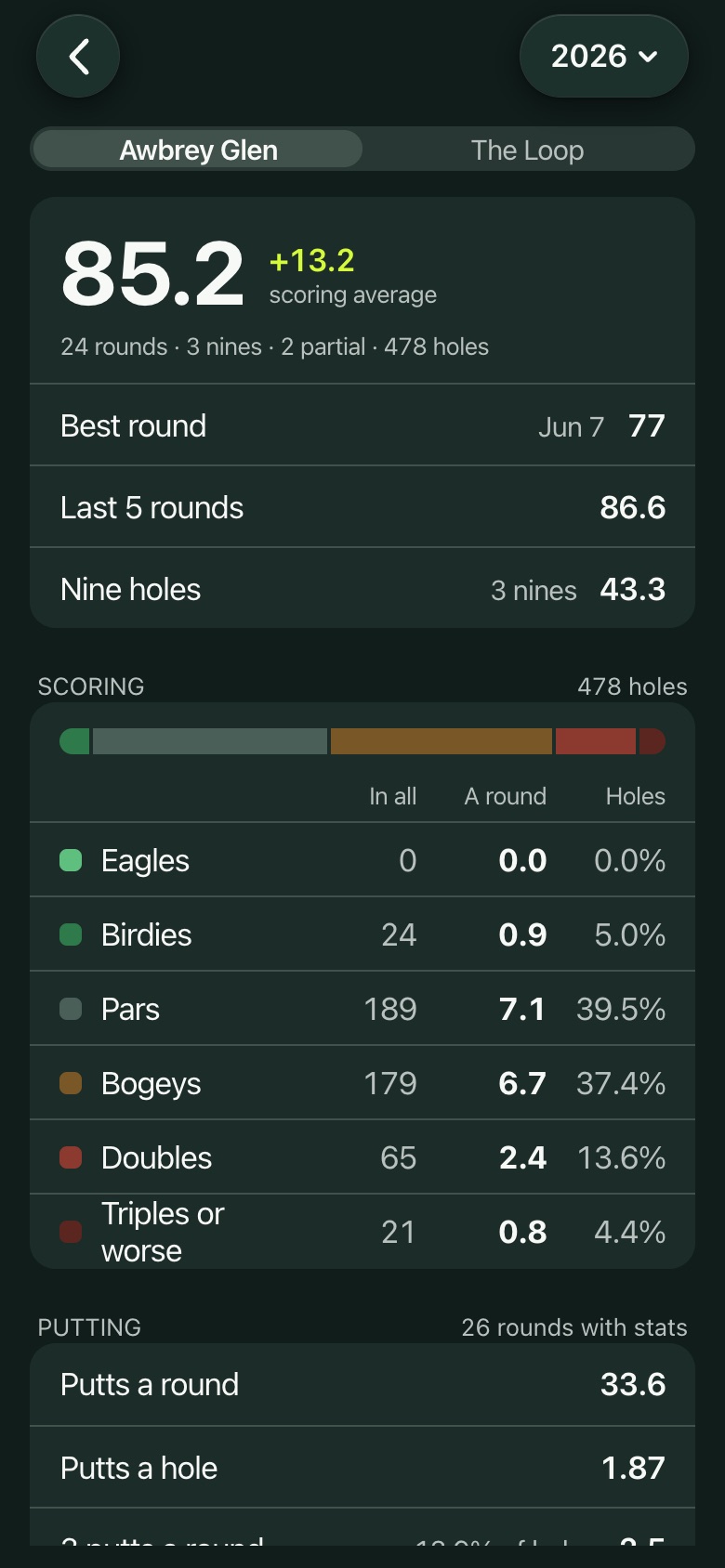
  • Your average by month, and every hole with your hardest and easiest.
  • For signed in members, from Season stats in Settings. Only you see them.
All stats
All stats
Fairways, greens and the trend
By hole
By hole
One hole
One hole
Practice

Driving Range

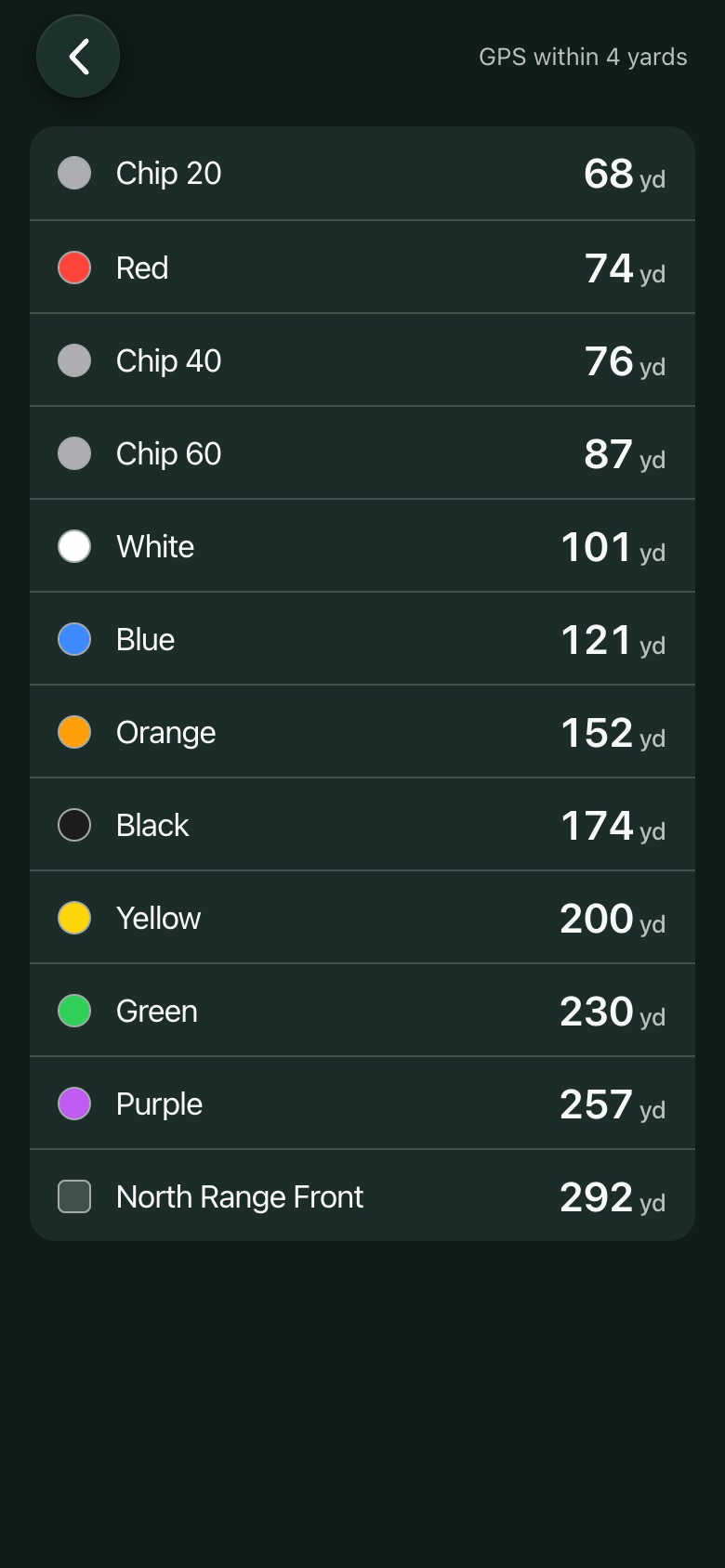
Yards to every flag on the range from where you stand, nearest first, and the chipping flags at the end you're on.

Driving Range
Driving Range
On the course

Ball search and Measure shot

Two tools in the round's menu, both also on the lock screen.

  • Ball search: a three minute timer that buzzes when time is up.
  • Measure shot: mark where you hit and walk to your ball for the yards.
Ball search
Ball search
Measure shot
Measure shot
Your rounds

Past rounds

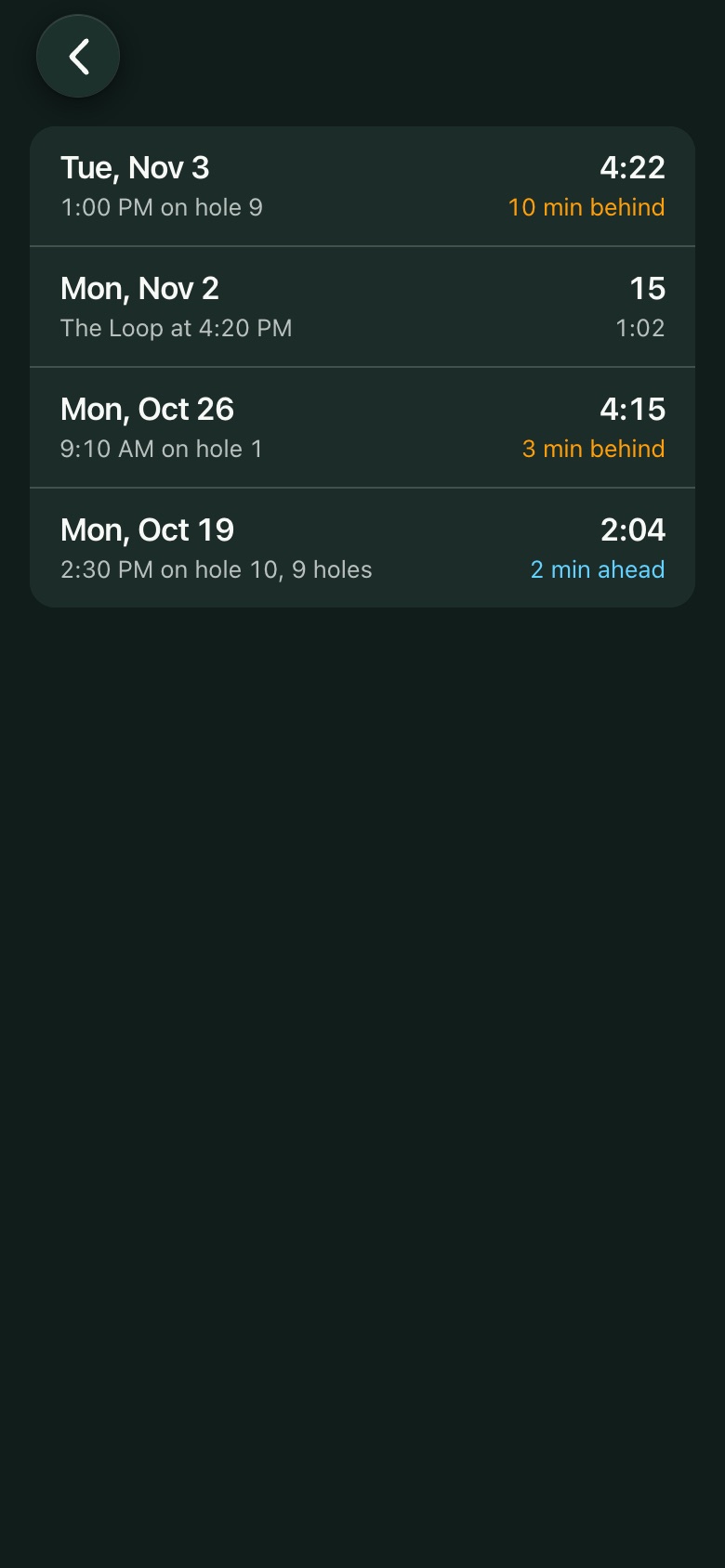
Every round is kept on your phone: the score, the game, the money and the card. Share a round's scorecard as an image.

Past rounds
Past rounds
A past round
A past round
Your account

Member account and friends

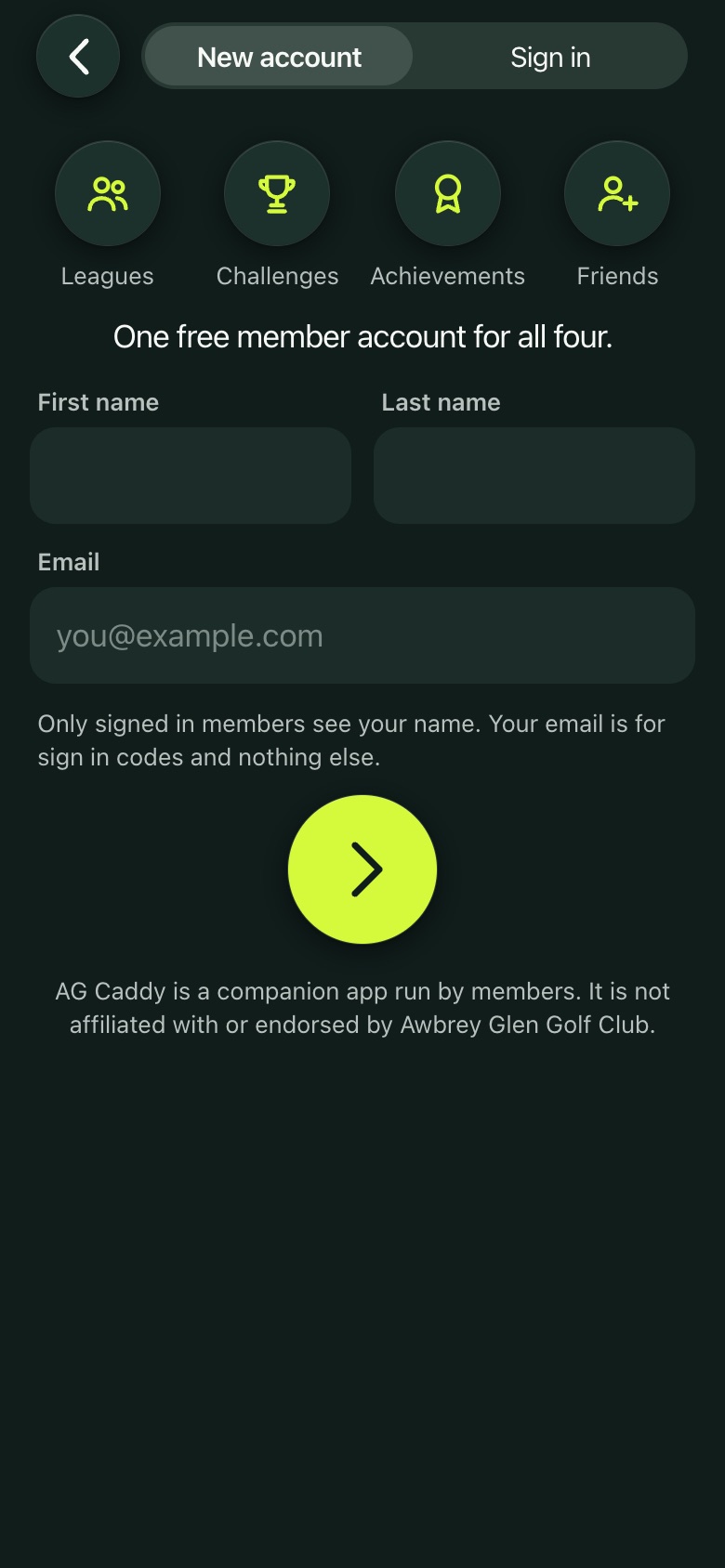
An account is optional and free. You need one only for leagues, challenges, achievements, season stats and friends.

  • Sign up with your name and email, confirmed with a six digit code. Delete it any time in Settings.
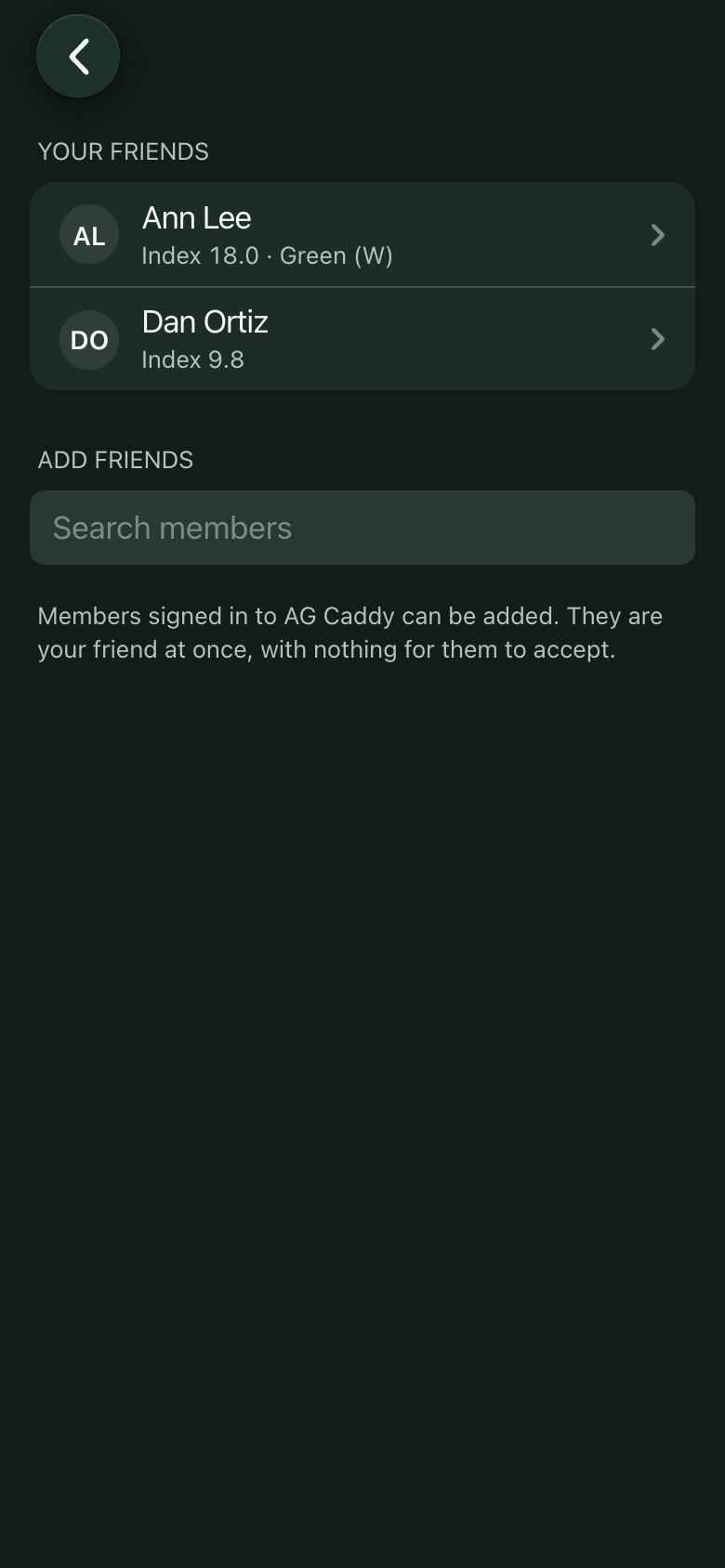
  • Friends are members you play with. Their index and tees fill in when you add them to your group.
  • A profile picture, if you like.
Sign up
Sign up
Friends
Friends
On the course

Pace of play

Nothing to tap: GPS finds each hole with your phone in the cart, your bag or your pocket, and the round screen shows where your group stands against the pace and when you'll finish. Turn it off in Settings if you'd rather not see it.

Privacy

What is shared

During a round your group's position shows on the course map by tee time only, and it's removed when the round ends (off in Settings). A pin you set is seen by everyone, with nothing about you. With an account, signed in members see your name; league members see your handicap index and league day scores; Loop Challenges show your counted scores. Everything else stays on your phone. The full list is in the privacy policy.

AG Caddie is a companion app run by members. It is not affiliated with or endorsed by Awbrey Glen Golf Club.